Build Version: 2026-06-30-01:52:24 UTC
Purpose:
To improve the process of adding required parts to the defect/finding from tools like Cat SIS or the likes.
Key Points:
Simple easy to follow steps to add a list of parts to a defect or finding.
Feature | Comments |
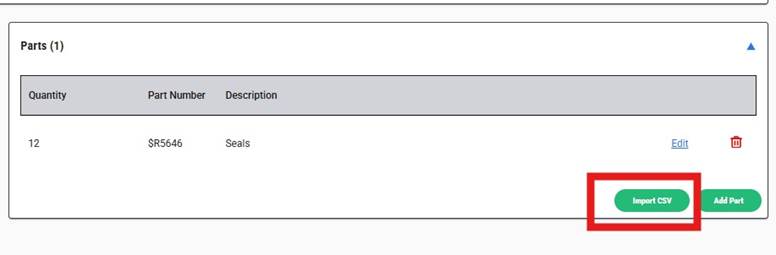
| Click on the new import csv file feature to the defect/finding parts |
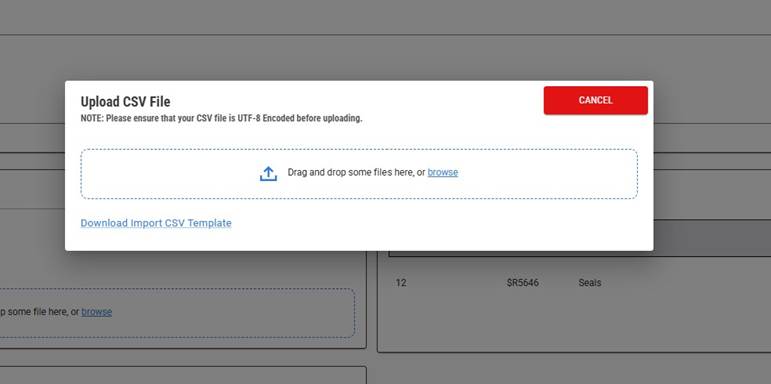
| Drag and drop or browse file to the folder to add to the defects/findings parts.
Or download the template. |
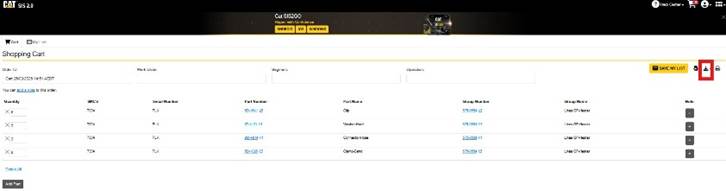
| Export the csv file from Cat SIS parts cart |
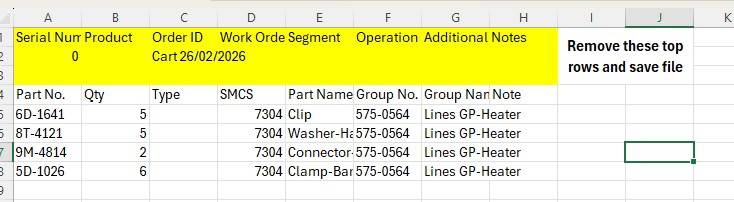
| Remove the top 3 lines from the csv file
Save the file as a csv UFT 8 format and drag and drop into defect/findings parts |
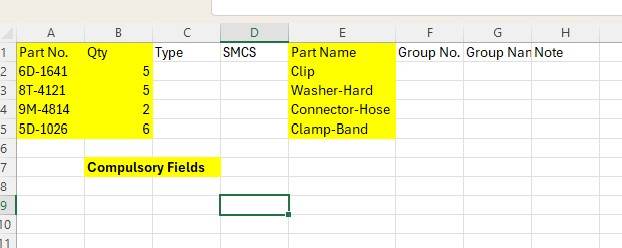
| The template has 3 compulsory fields that need to be populated. The others will be ignored by the application. |
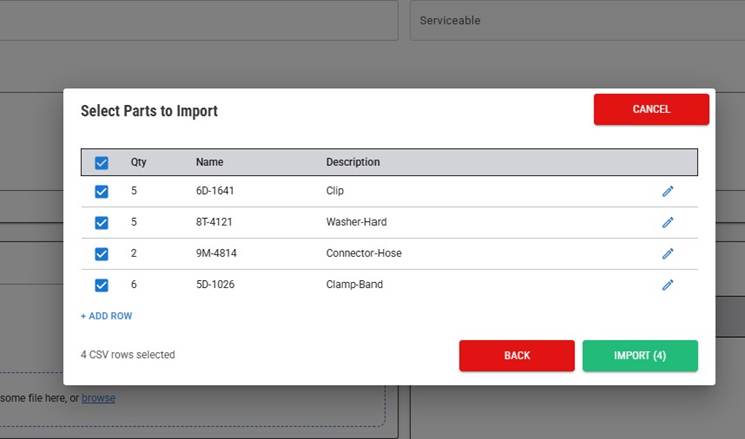
| Confirm which parts need to be imported |
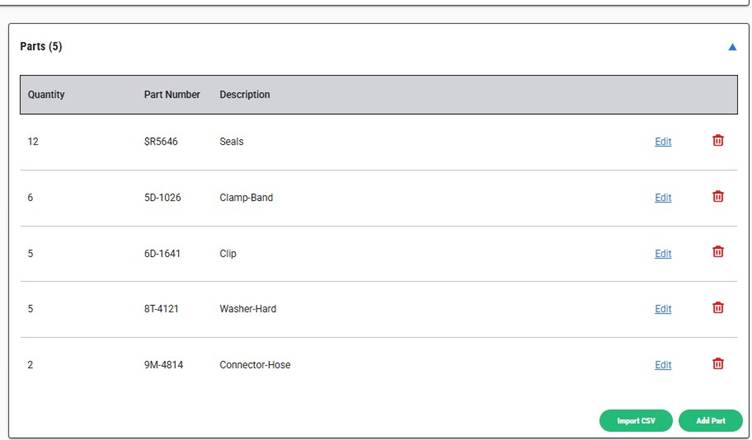
| Parts are now loaded against the defect/finding |
Was this article helpful?
That’s Great!
Thank you for your feedback
Sorry! We couldn't be helpful
Thank you for your feedback
Feedback sent
We appreciate your effort and will try to fix the article