Build Version: 2026-09-22-05:55:50 UTC
Purpose:
To give further flexibility to the planning/scheduling and supervisor teams to simply move the scheduled service/inspection to a preferred date and time.
Process:
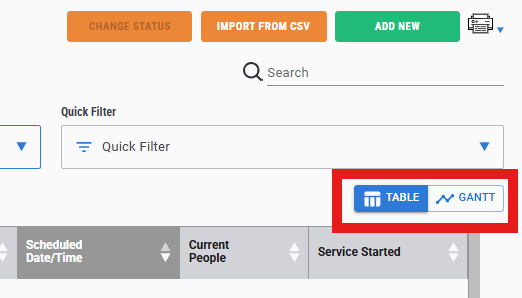
View at Service/Inspection List screen, select the Gantt Option
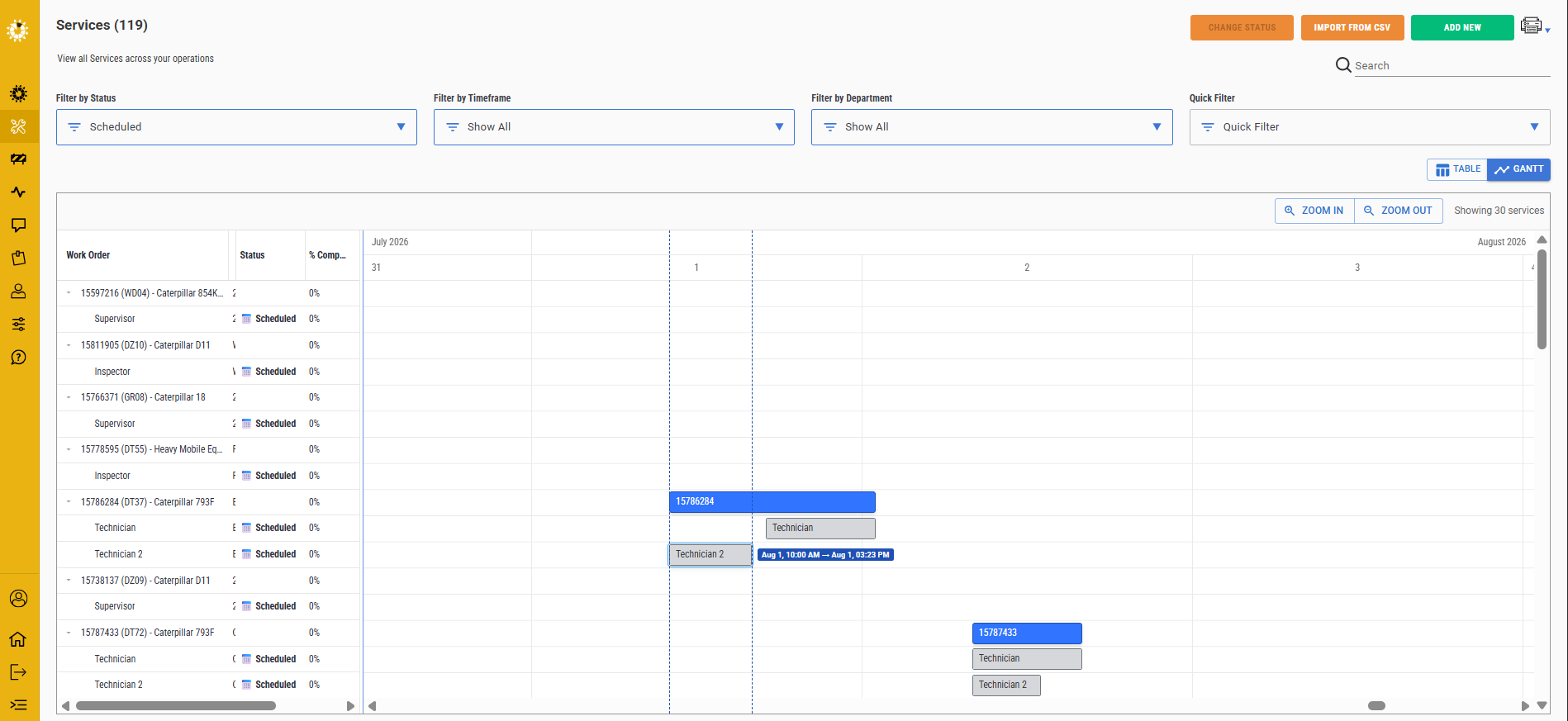
Select the scheduled service role that you need to change. Note, that you cannot move a started service/inspection.
Change the date/time on the popup if you wish.
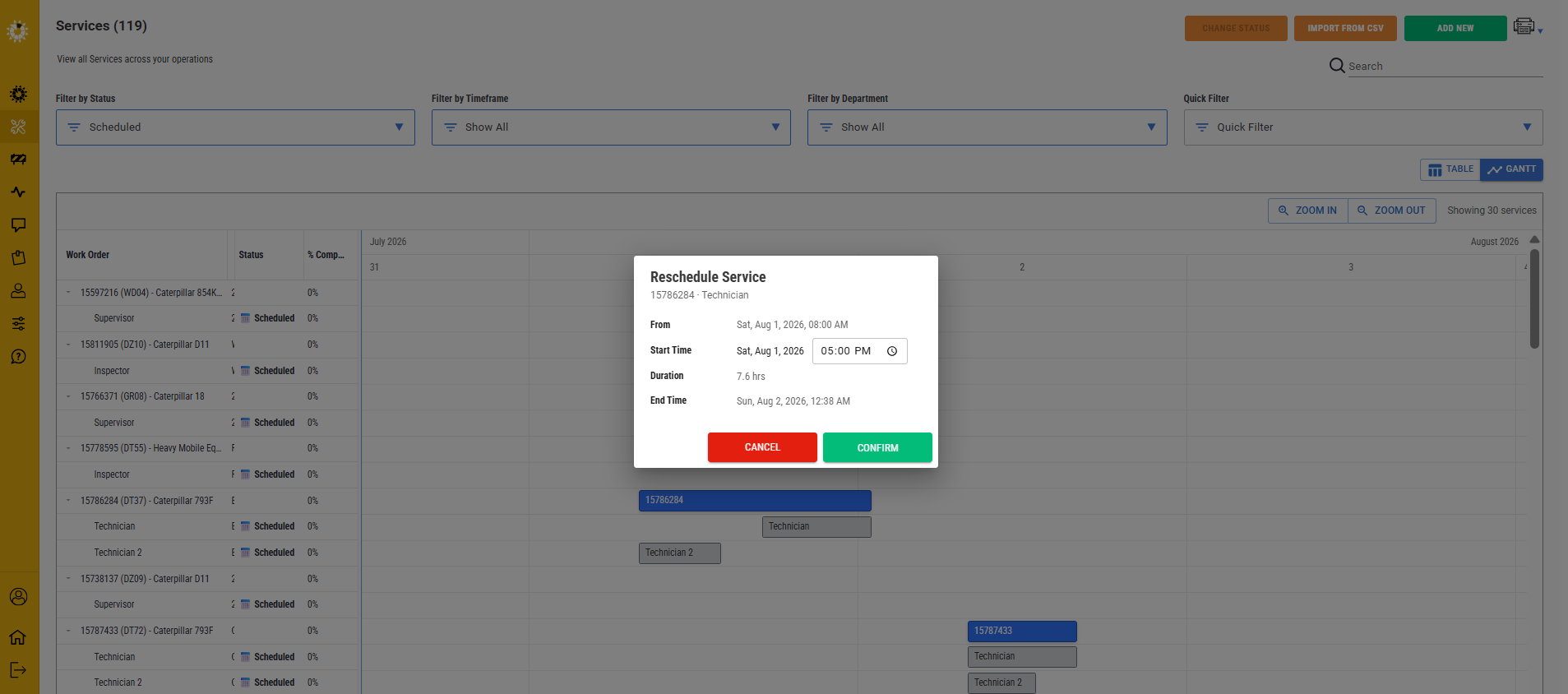
The roles will automatically adjust on the calendar to present that waterfall effect.
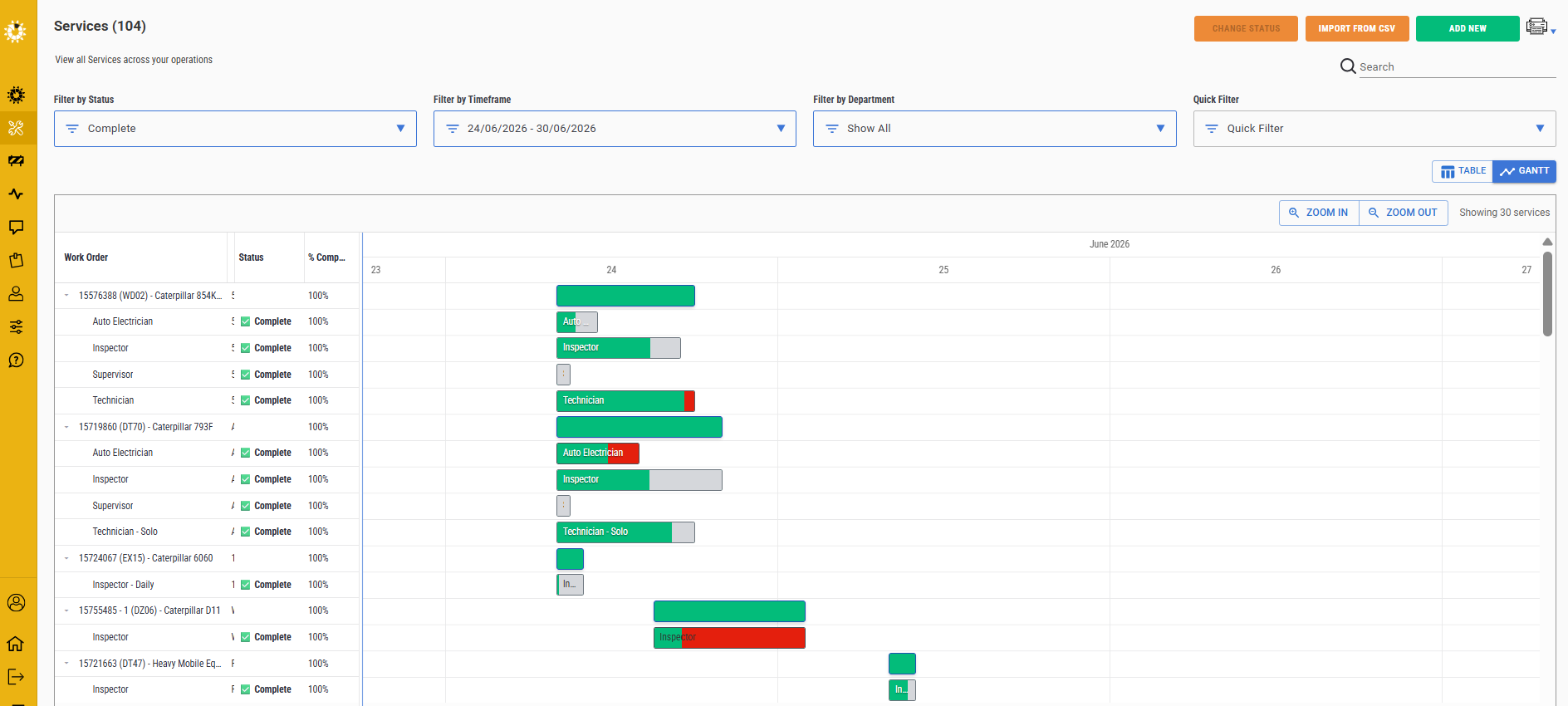
Additionally, the Gantt will now show when a service timeline has blown out. You will see the red block at the end of the bar, indicating the extended time on the job. Double click on the bar to take you to the detail.
Also shows if the job was done under the estimated time in green. The grey section is the time not required to complete the job.
Was this article helpful?
That’s Great!
Thank you for your feedback
Sorry! We couldn't be helpful
Thank you for your feedback
Feedback sent
We appreciate your effort and will try to fix the article