Request an image to a question without a Defect/Finding
Built on: 13/04/2026, 14:06:31
Build Version: 2026-04-13-04:06:31 UTC
Current Situation:
The only option to add an image to show the condition of an item is via a defect/finding.
Based on feedback from sites, there needs to be a mechanism to show the condition of something without needing to raise a defect/finding. It might be just to show a critical item to share the condition of it each time that task is being requested.
A good example is the magnetic plug condition. You may not have any particles on it, but you still want to share the condition of the plug via an image for others to see.
We can do this via asking a question and ticking the feature to share an image (compulsory) when answering the task question via the mobile application.
This new feature is released in version
Screen | Changes
|
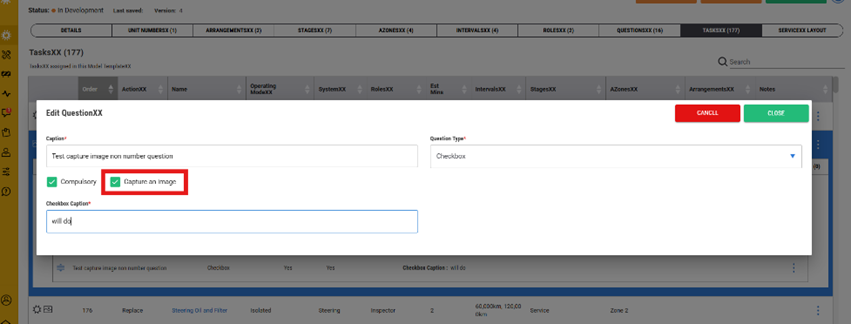
| Within the model, select the task question and tick the “Capture an Image” Box
This will trigger the feature in the mobile application against this task question |
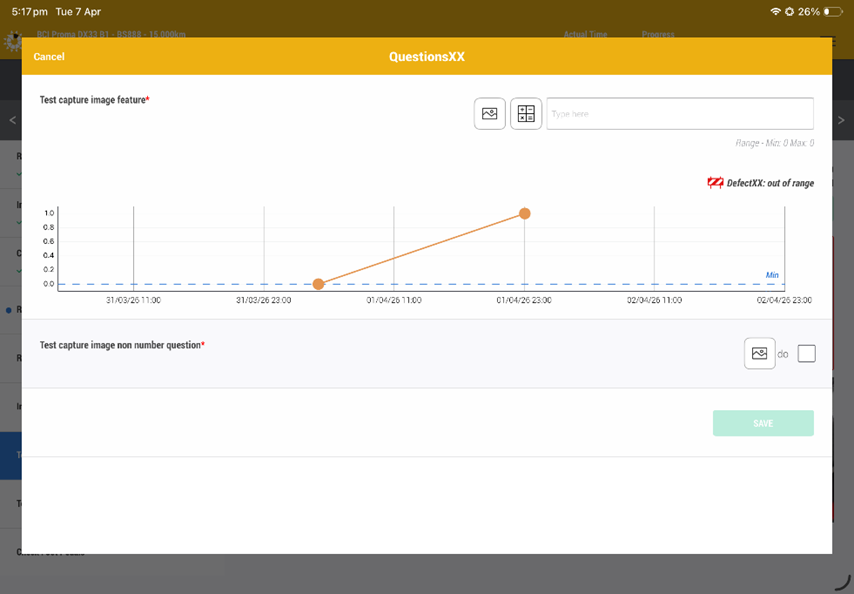
| This icon will appear and you click on it to open the camera application to take the image.
Only one image will be captured and stored |
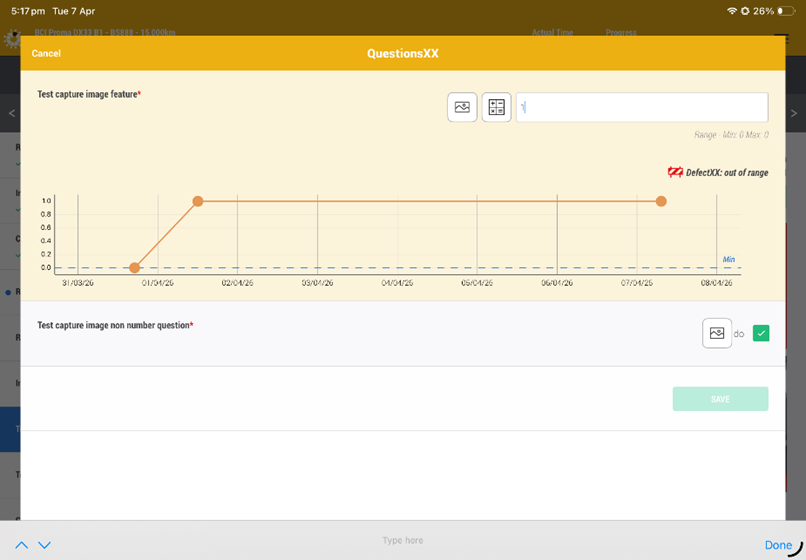
| You can still add the content to the question and trigger a defect/finding |
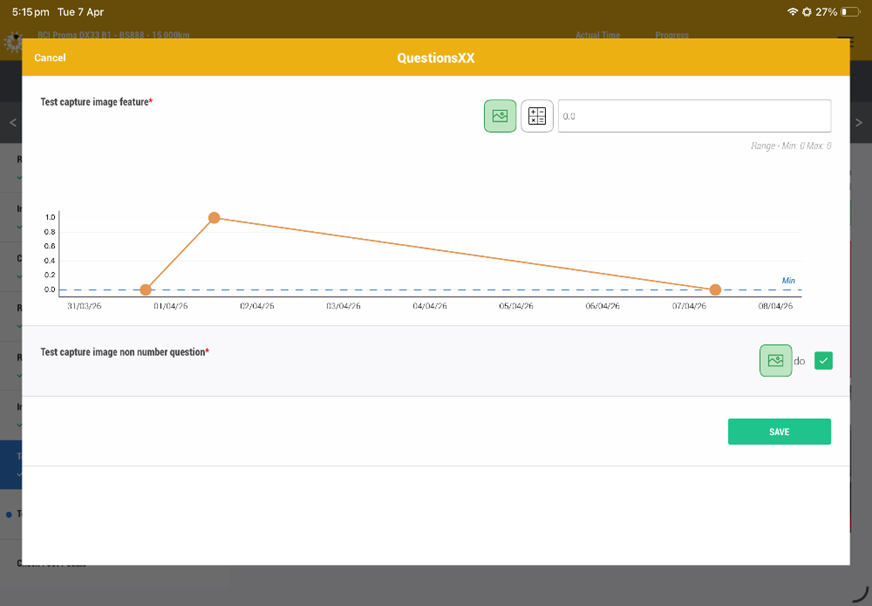
| Once the images and compulsory questions have been captured/completed the Save button will present to complete the process.
Cancelling the screen will not save the captured information. |
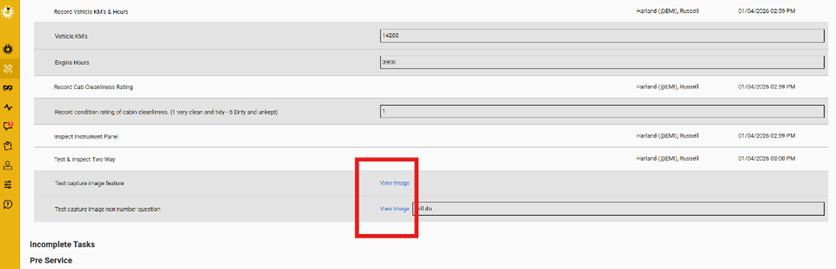
| Within the service report in the web application, there will be a hyperlink to view the image captured against the task question. |
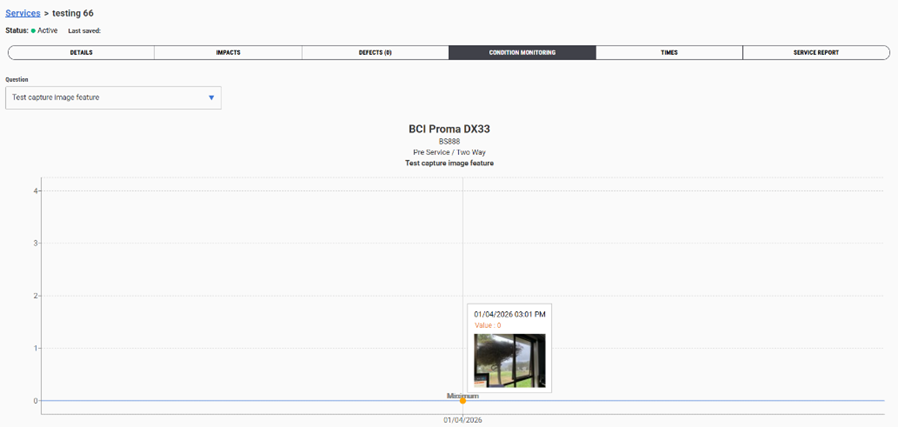
| Images captured against a condition monitoring trending question, the image will also be present when hovering over the data point in the chart.
You can click on the data point to expand the size of the image |
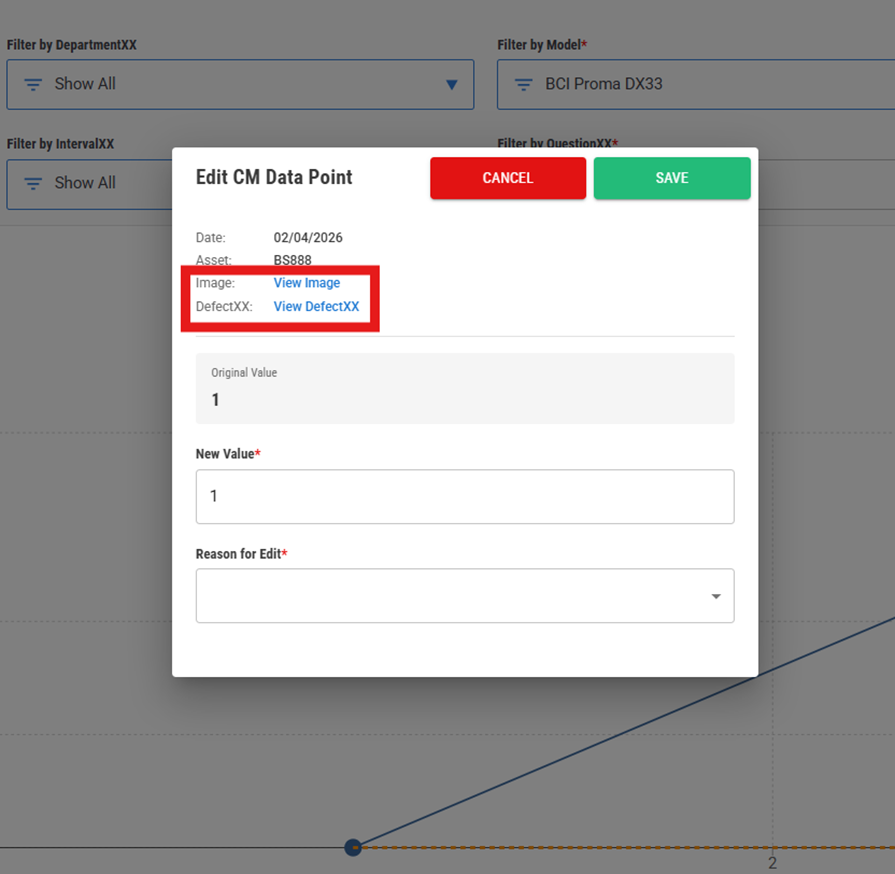
| If you have access to change the value of the data point, the View Image and View Defect hyperlinks will be presented to access this information |
The intent of this change is to
- Increase the capability of capturing the condition of an item of importance at a specific point in time and to have it easily accessible to personnel that wish to view.
“Transparency drives accountability, which improves asset reliability that drives the right culture”
13th April 2026
Was this article helpful?
That’s Great!
Thank you for your feedback
Sorry! We couldn't be helpful
Thank you for your feedback
Feedback sent
We appreciate your effort and will try to fix the article