Current Situation:
If someone changes the defect risk rating of an outstanding defect on the iPad during a service, you don’t know about it unless you go into the history.
What we have developed is a process where the right people will see the change and can action it or ignore it, but it will be recognised within the history.
This way the right people will realise the change and take action or not. That’s their chose.
Screen | Changes
|
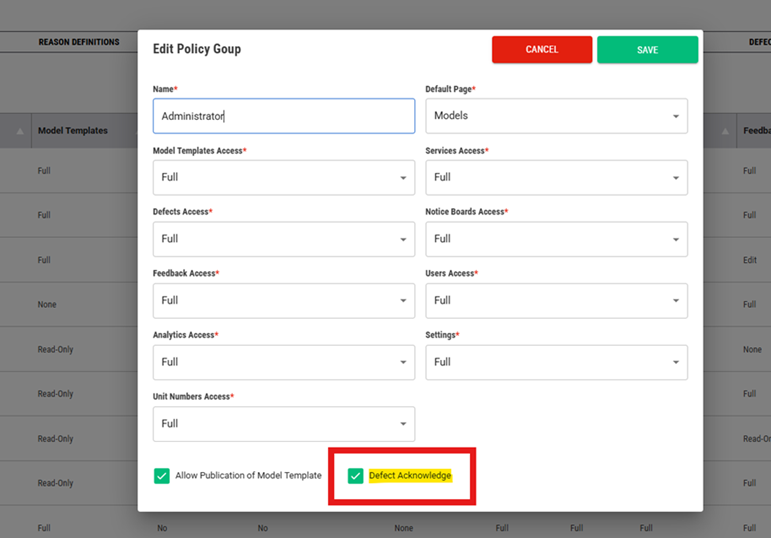
| To activate this feature, you need to assign the “Defect Acknowledgement” feature to one or more roles within the Policy Group/People tab in Site Application Settings.
Generally, the direct line management of the service process the Supervisor.
|
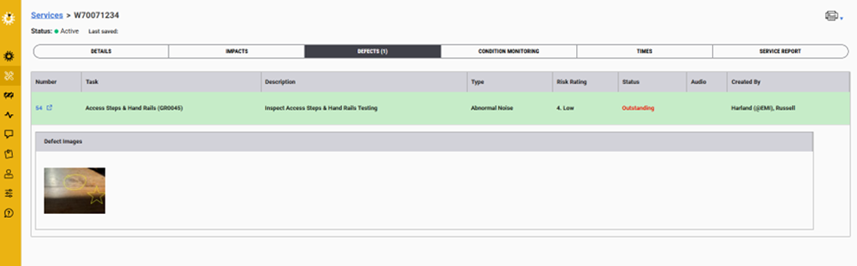
| Someone has changed the outstanding defect risk rating on the iPad application during the service.
Within EMI3 application, the defect is now highlighted to alert the “Supervisor” of the change to the risk rating.
Note: No one else will see this green highlighted bar. This is for a reason so that someone without the responsibility to take action, removes the highlight for the people that need to know. |
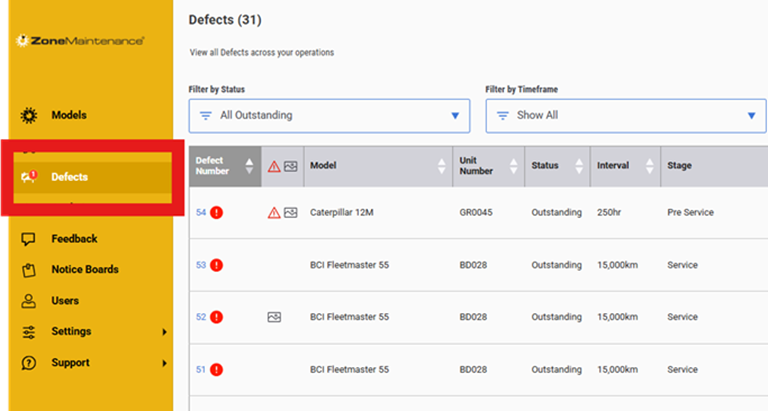
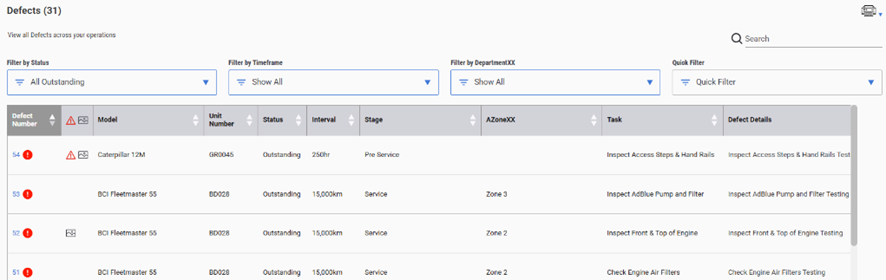
| A new alert icon on the menu side bar also highlights that there is a defect that has changed risk rating and needs to be looked at. |
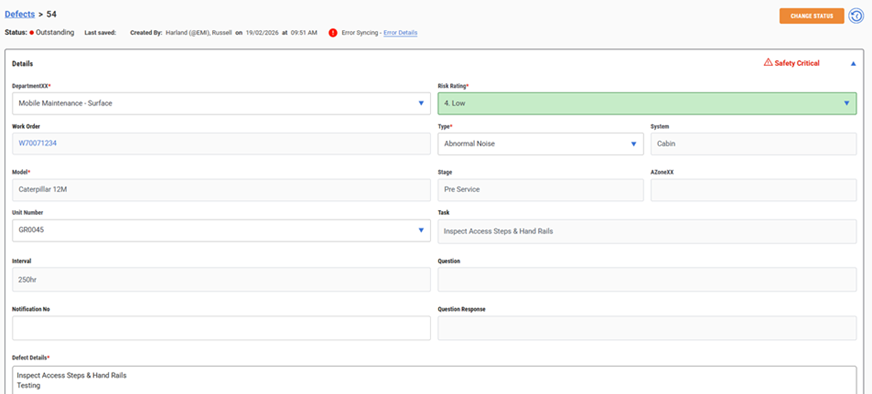
| The Supervisor goes into the defect and see’s the highlighted risk rating.
They can add notes or other external actions to address the change.
Or they may not do anything.
It’s just highlighting the fact that it has changed. |
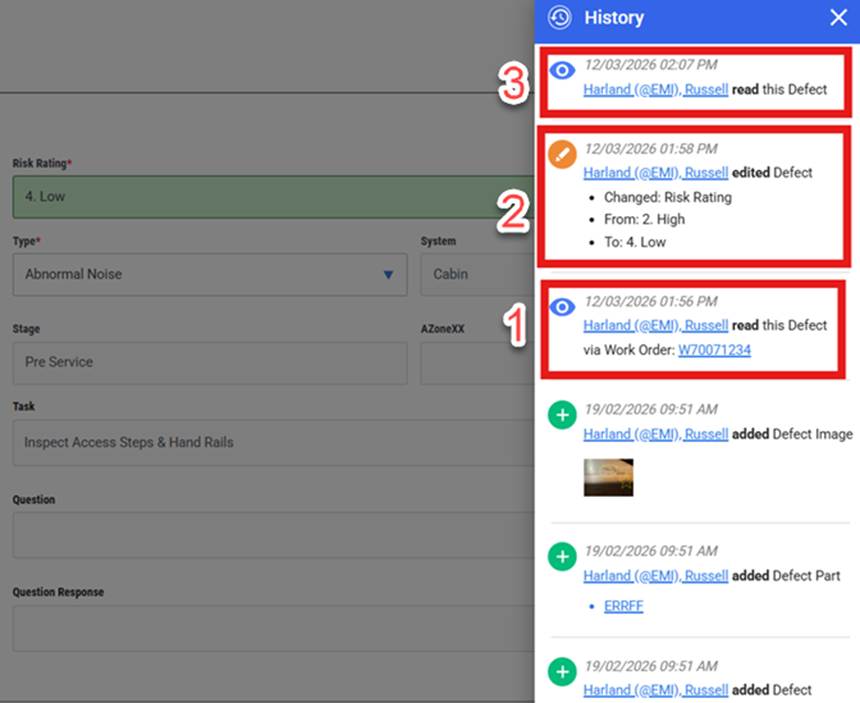
| In the defect history, you will see that the person on the service has looked at the existing defect on the specific service work order. (1)
This will occur when ever some looks at an existing defect, via the mobile app, as it’s important for the people that have the task with a defect look at the defect details and if needed change the status, the risk (2) or add more notes and images to the existing defect.
Thirdly the person, with access to this feature, that looked at the defect within the web application will also be captured in the history. (3) This is to show that someone with the accountability to address the change or make the necessary decisions going forward. |
| Once the person with the activated feature moves away from this defect to another screen, the highlight and the side bar indicator will be removed.
|
The intent of this change is to
- Highlight that there is a change in the defect risk rating
- Track when a person doing the service/inspection on the iPad application looks at an existing defect, which is the expectation
- Show that the person responsible for the defect (eg Supervisor) has looked at it.
- History screen to capture the process
“Transparency drives accountability, which improves asset reliability that drives the right culture”
March 2026
Was this article helpful?
That’s Great!
Thank you for your feedback
Sorry! We couldn't be helpful
Thank you for your feedback
Feedback sent
We appreciate your effort and will try to fix the article