New Features within EMI3
March 2023
Feature | Comments |
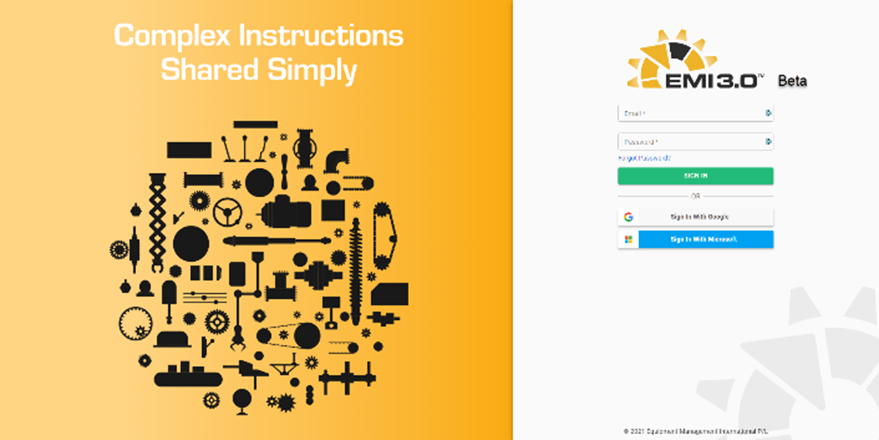
| Improved secure log in to the web application
Windows, Apple and Google Authentication using OAuth protocol |
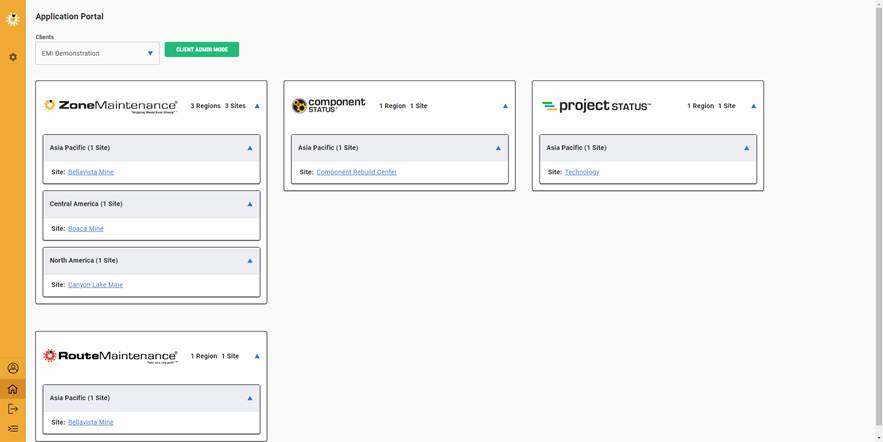
| Portal to all applications on one log in
Global structure of Regions – Sites – Applications
All controlled by user access privileges |
Model Development | |
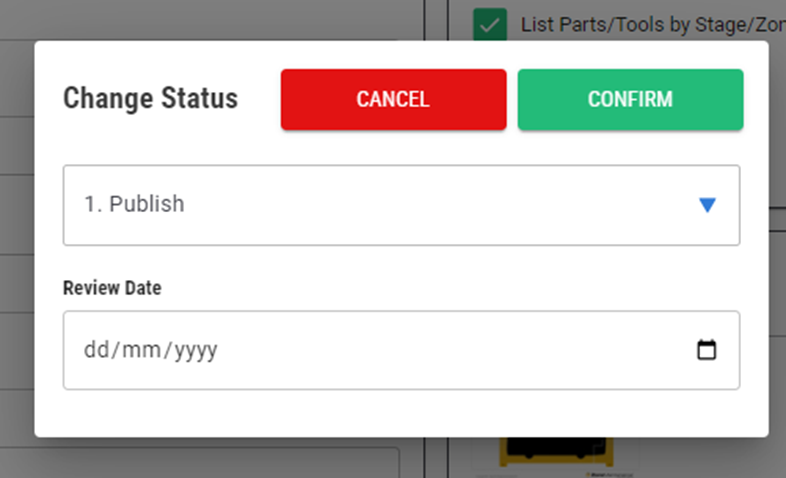
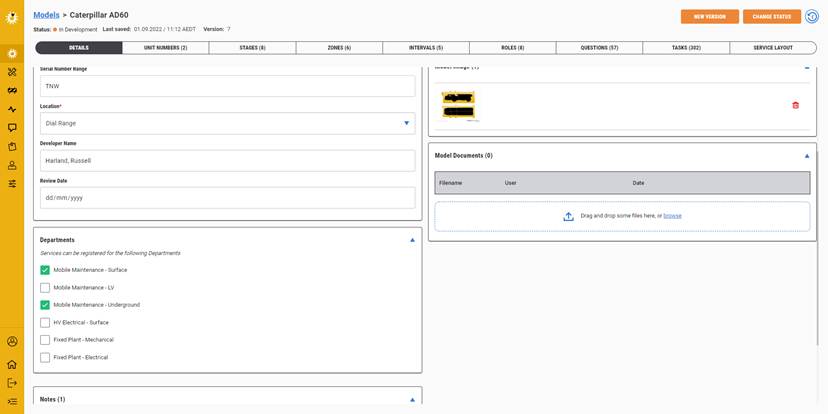
| Can set a model review date when making the model published |
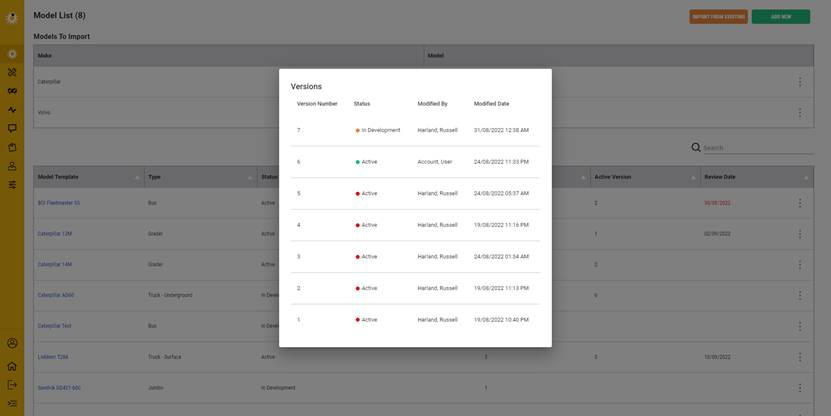
| Version control enables you to go back to previous releases and open that model up or revert to the model |
| Assign multiple departments to a model to improve visibility of information during services as well as improving role assignment
Add documents that are relevant to the model for future reference |
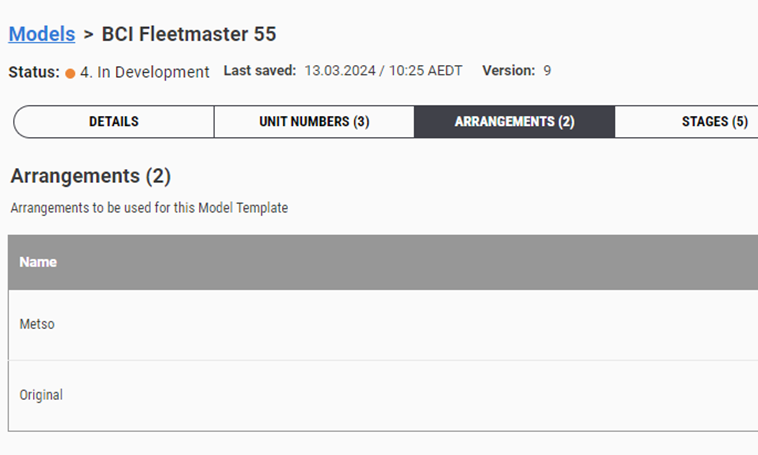
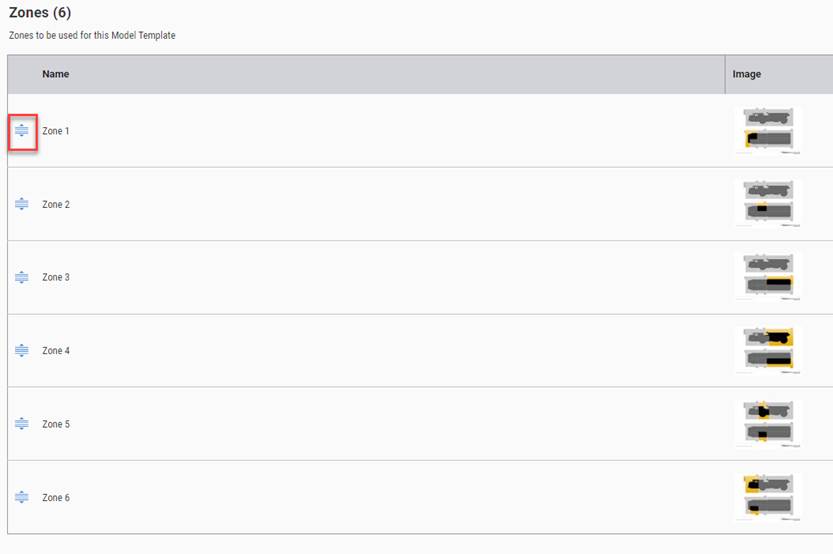
| This new feature called arrangements enables you to use the same model for different machine arrangements. This could be an OEM configuration change where different parts are required or a site design change where different tasks are required.
You’ll assign the assets to one of the arrangements that you have registered.
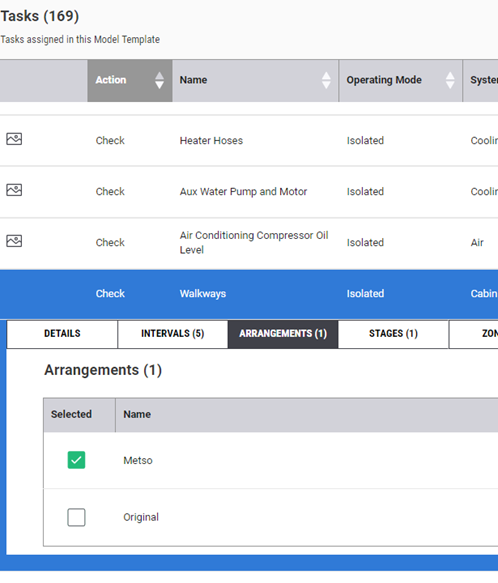
Content developer can then assign a task to the arrangement.
If no arrangement is selected then the system will assume that the task is assigned to all tasks.
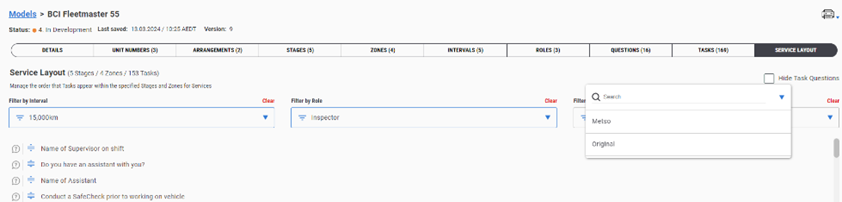
When flowing the tasks in service layout you’ll need to select the arrangement to ensure the task is in the correct flow.
Not all applications have this functionality and it only applies to Asset Based Models. |
| Drag and drop feature to improve flow of content |
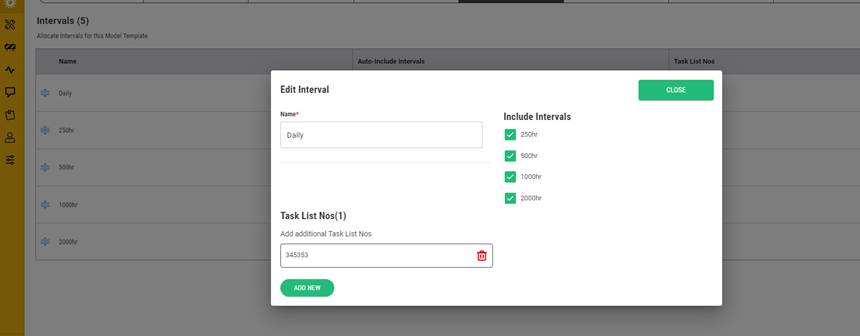
| Simple features to add/edit an interval and task list numbers
Auto-include matrix works in reverse to the logic seen within the Enterprise application. |
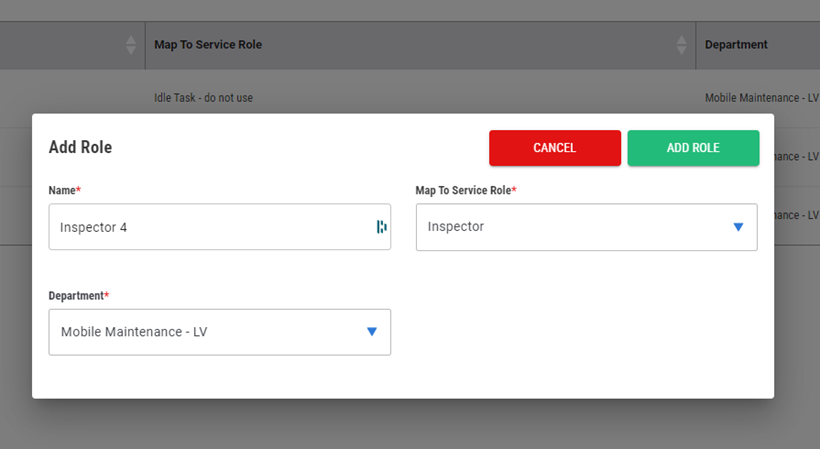
| Roles within the model assigned to departments that have been selected in the previous details screen
Adding a role has the capability to register a new role to the model without registering a new role to the user profile. Meaning that you can assign all current users to the new role registered in the model. This is mapping the new role to the existing service role |
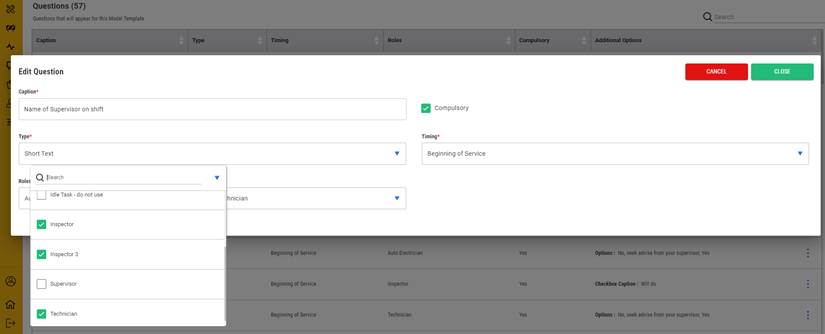
| Start questions can be assigned to multiple roles |
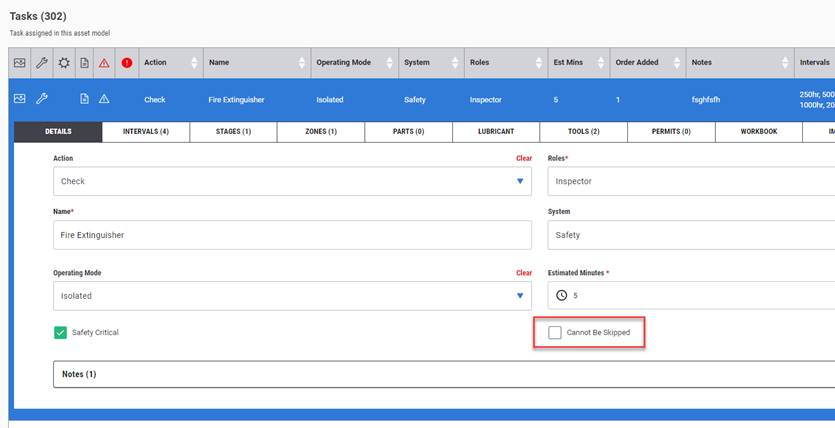
| Tasks can now be locked so they cannot be skipped. This puts an added hold on the service process where a critical safety requirement has been defined in the workflow. |
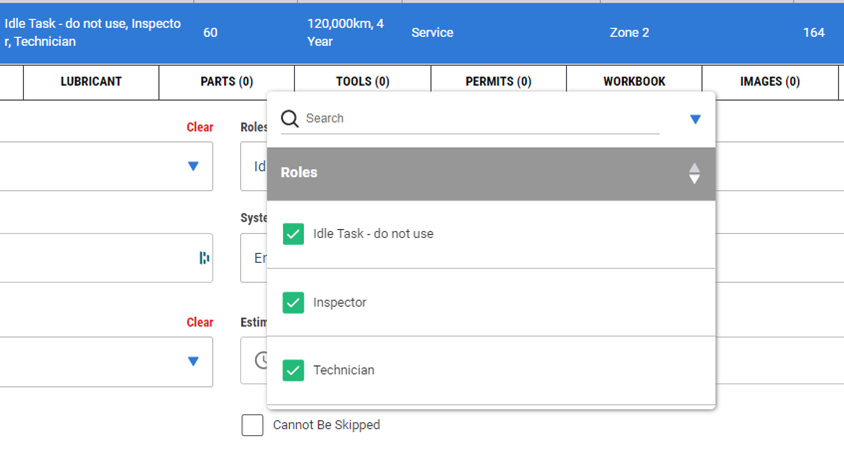
| Assign a task to multiple roles is simple now |
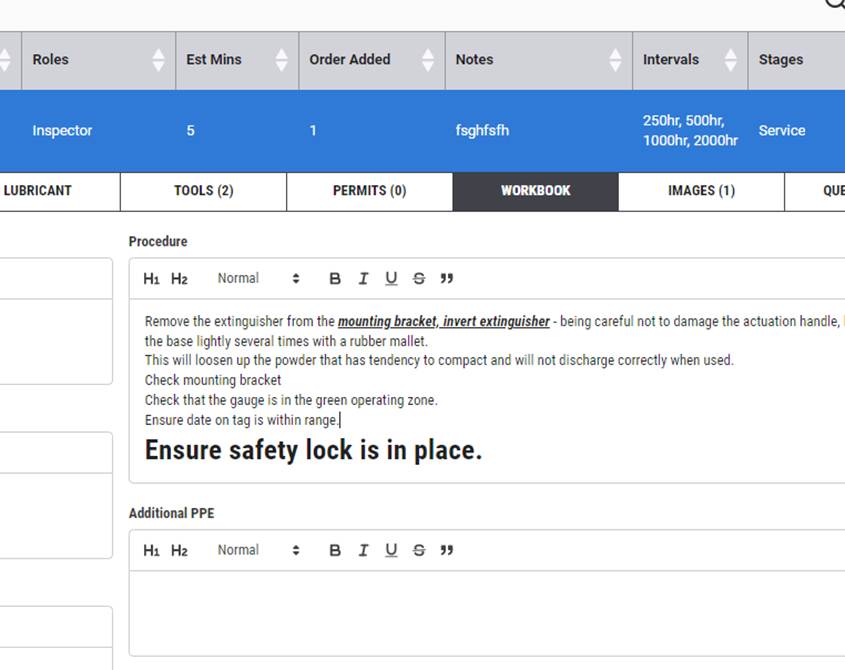
| Content in the workbook screen can be highlighted to emphasise the change or critical information being presented
Hyperlinks to other sources will also be available
No save button required to be clicked when editing. System auto saves. Only time you’re asked to save is when adding part/tool/permit etc. |
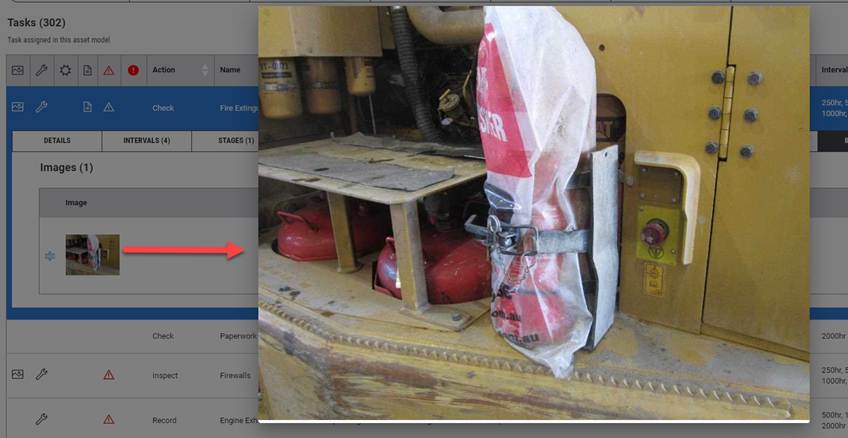
| Click on thumbnails to enlarge images
|
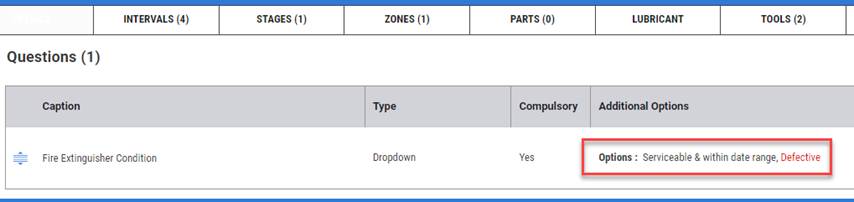
| Task questions can be seen which dropdown or checkbox item has a “Raise Defect” against the answer. Highlighted in Red
Questions can be easily dragged and dropped into place for easy flow change |
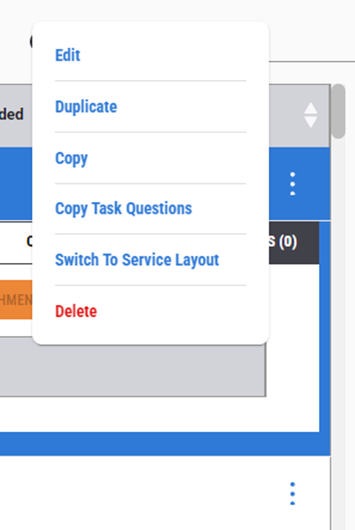
| The three dots to the right of the task provides a new menu list for additional functionality.
Using the “Switch to Service Layout” will take you to the task in the flow, highlighted in yellow. If the task is added it will be found at the bottom of the stage/zone list. If duplicated, it will be below the duplicated task. |
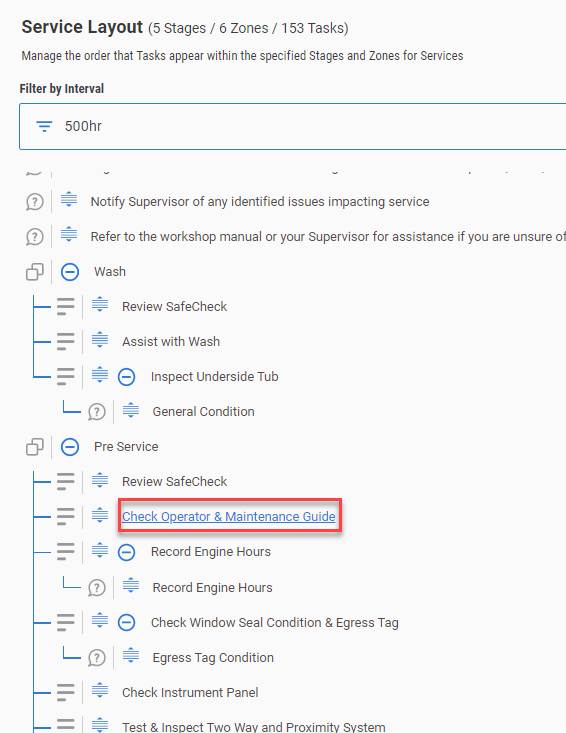
| Hyperlink task or questions to go back to task screen.
Clicking on the hyperlink takes you to the task or question and opens and highlights it in the Task screen
Also easy feature to drag and drop a task into spot to improve workflow |
| Clear header information to define what model you’re work in. More than one person can work in a model at the same time. An indicator will alert you who is in the model with you in coming updates.
|
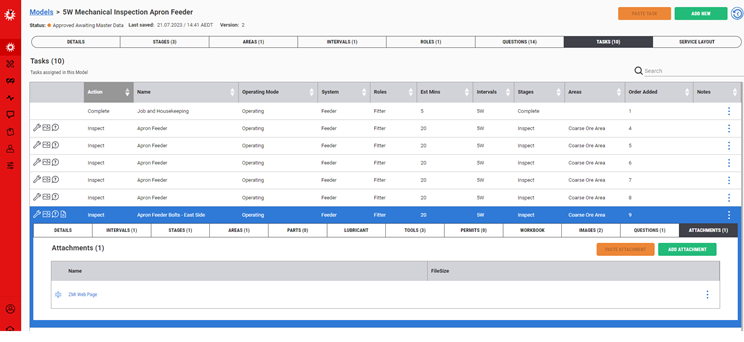
| Adding attachments or hyperlink to a web page now an option when building the model.
User needs to have access to the location of the page to access the information. As well, then need to be online to go to the linked page. |
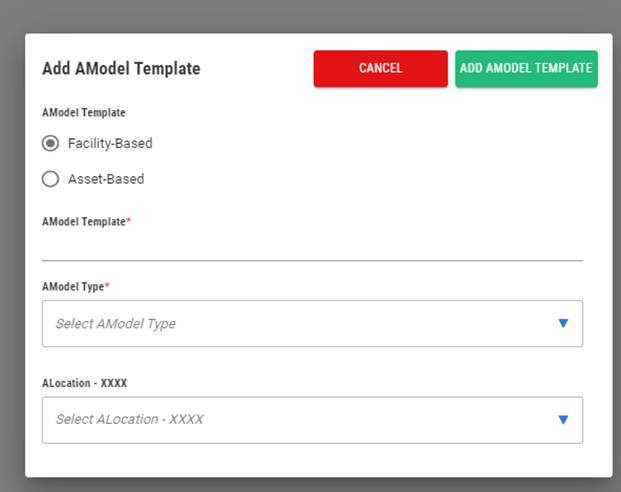
| In RouteMaintenance you can select which type of structure you wish to build the model too. Facility based or an asset based.
This benefits the fixed plant departments where they only need to work in one application for all their maintenance work orders.
|
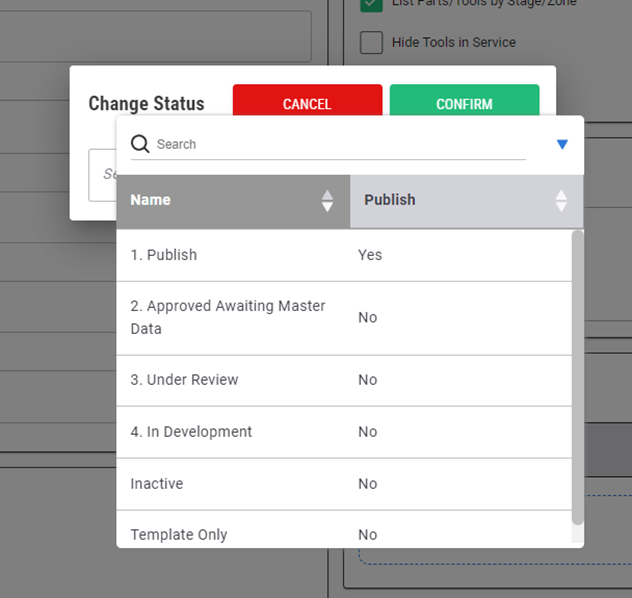
| Publish a model can be limited to only assigned positions to update the status of the model to published and available in the field. If you don’t have the privilege, it will present a pop up defining this constraint. |
| Making a model inactive/active enables you to switch off the option to register a service to the model if this model is no longer required. Still gives you the option to reuse in the future or keep for another purpose.
All you service history is protected and accessible. |
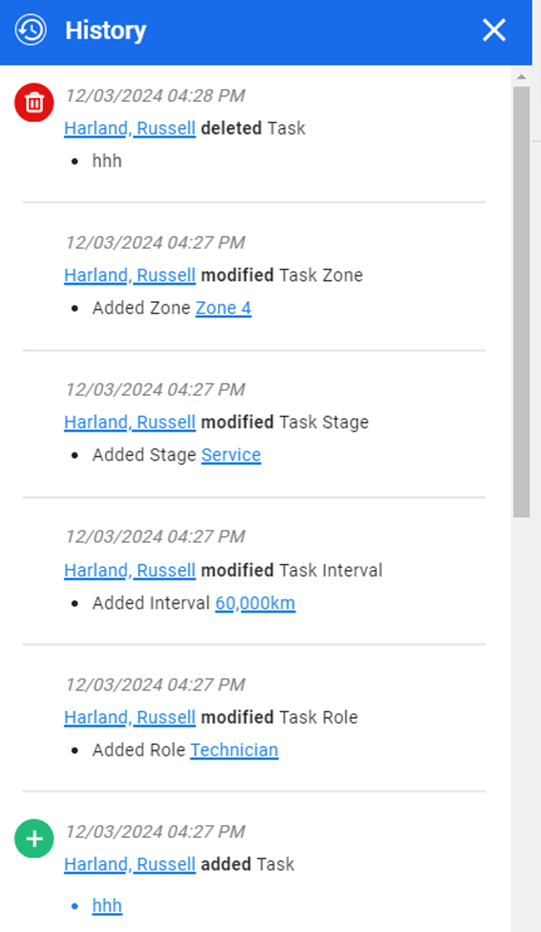
| New history icon presented on the top right of screen provides you with all the changes completed by whom and when for future reference. |
Services | |
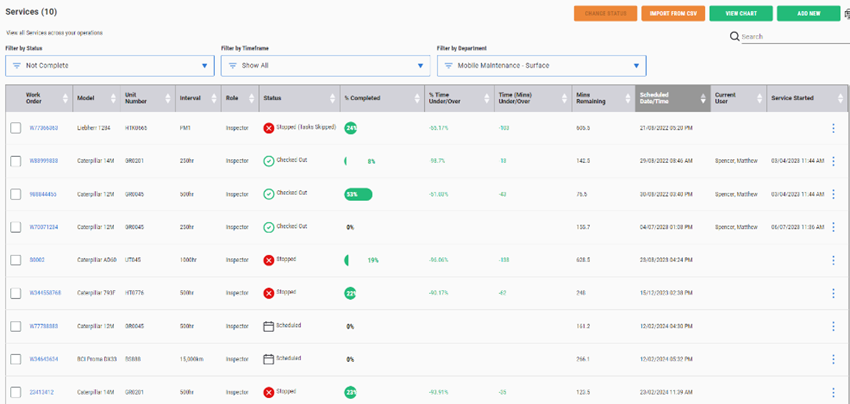
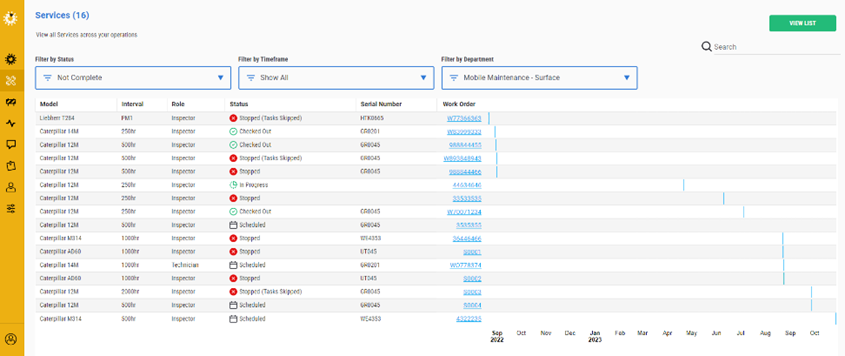
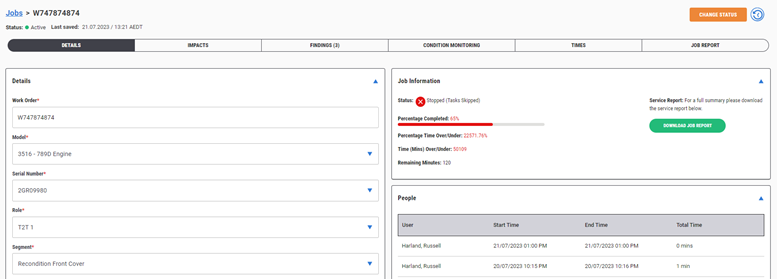
| Layout changes to improve user experience
Click on the work order number hyperlink to open the service details. |
| Gantt chart view option available for services/jobs.
|
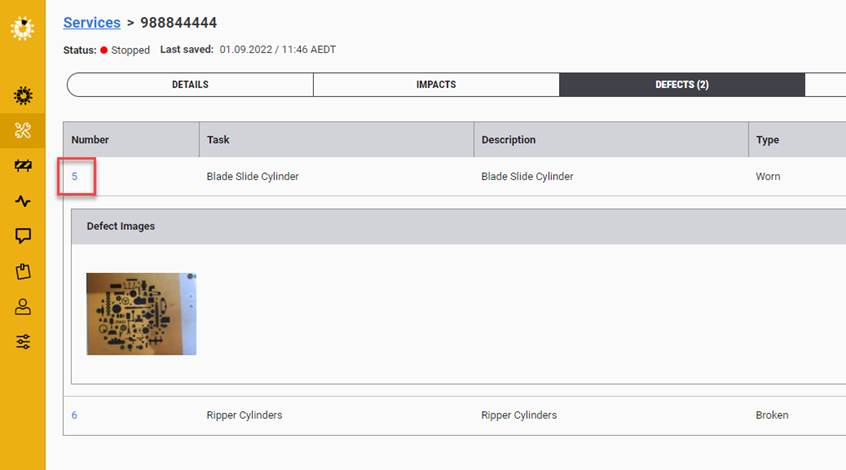
| Hyperlink to the actual defect from within the service screen
Also click on the thumbnail to enlarge image |
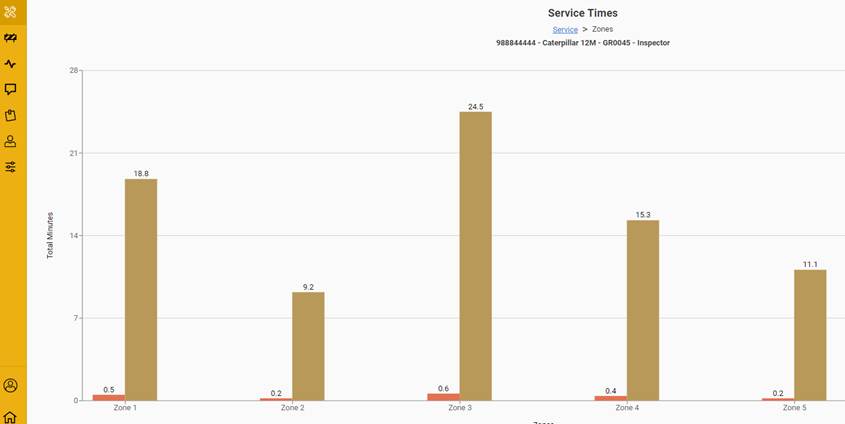
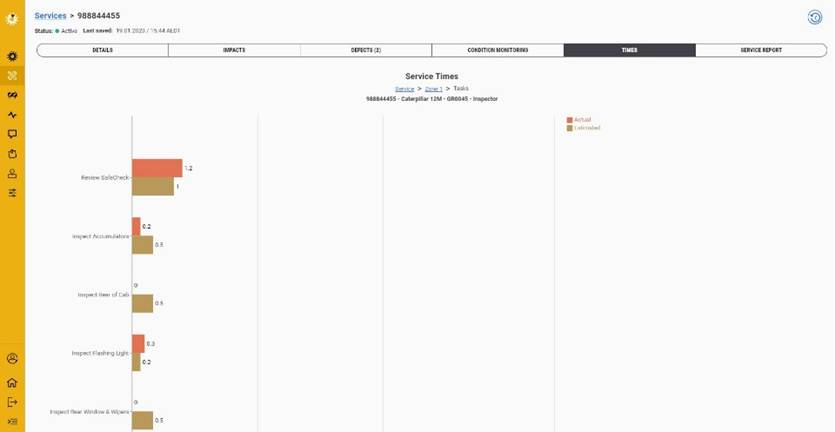
| CM and Time graphs have changed in view.
Click to drill down to the next level of content |
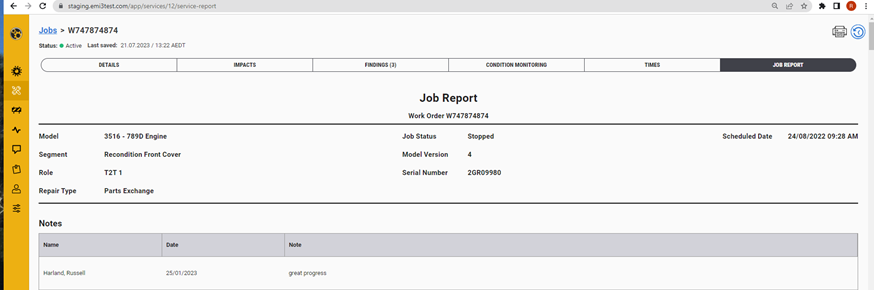
| Service Report is instant with all the information relating to the service and role.
Signatures and captured defects all included in the report. This will also have a print to PDF button so to download the report for uploading to CMMS or emailed if needed
Print HTML page option on the job layout screen or PDF document in the details screen. |
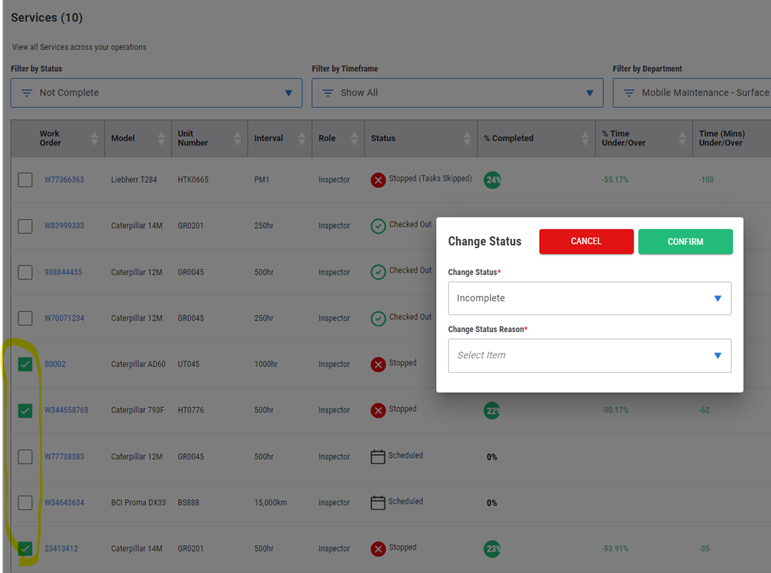
| Select the same service status type and click on the change status button to change one or more services at the same time.
Services need to be the same to present the correct status change options |
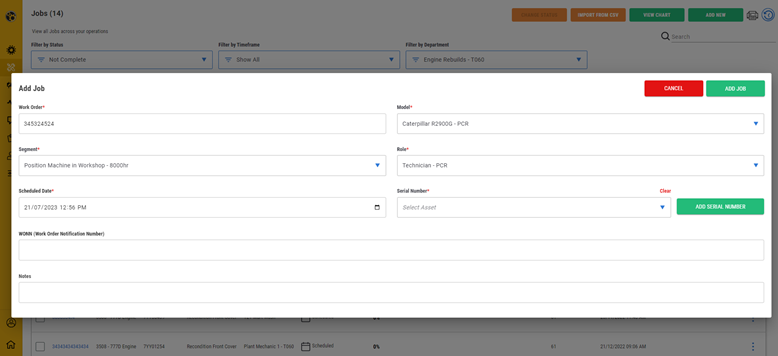
| Users with permission can easily add a new unit or serial number when registering a service/job. |
Defects | |
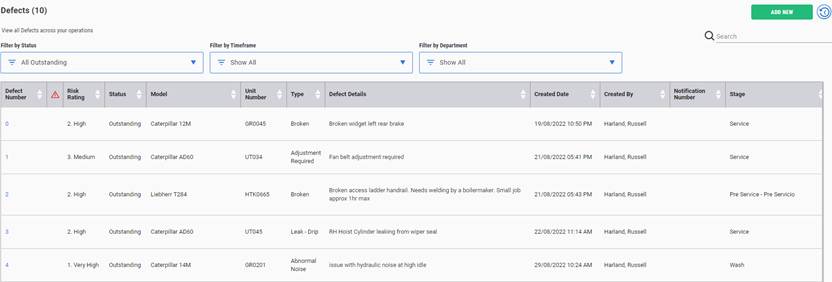
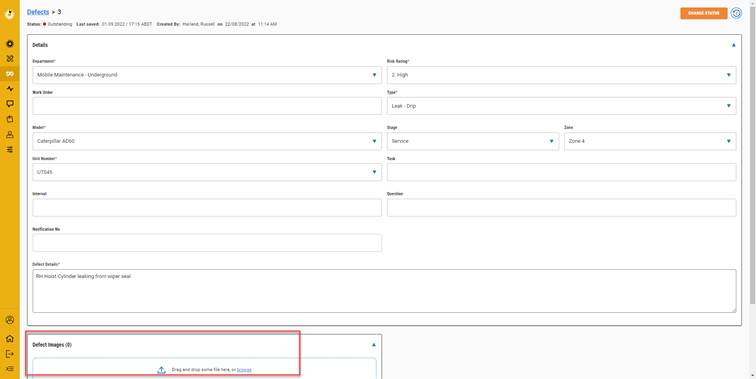
| New layout and hyperlinks to open defect from the number |
| Within defects we can add multiple search “chips” to enhance the search capability and improve the results to be presented on the screen and in the reports.
This feature will be added across other areas of the application over time. |
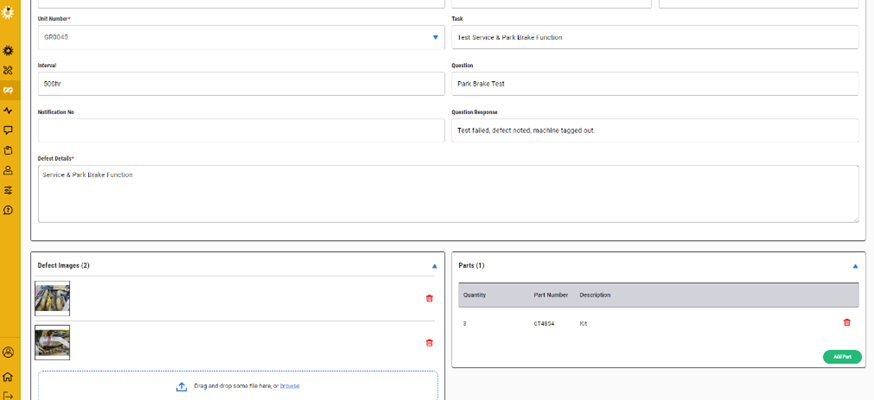
| Drag and drop in images a nice new feature to speed up the process |
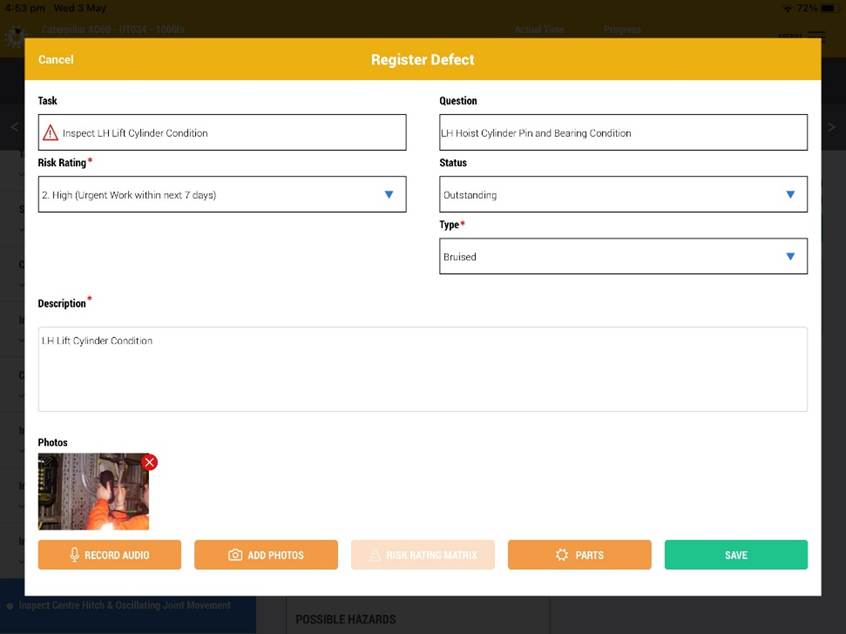
| Within some of the applications, you can add parts on the iPad during the service and on the web app to the defect.
We don’t encourage users to go off the job during the service to register the parts for the defect repair but if they know the part number then they can easily add it, otherwise it can be added after the service via the web app. |
Other Additions/Improvements | |
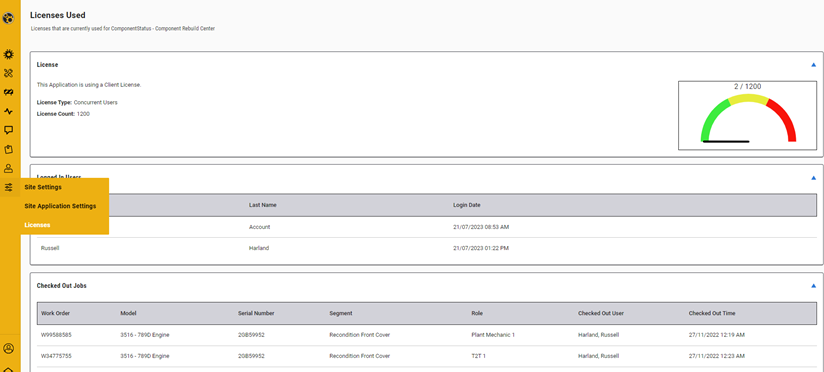
| New look screen for licenses. See the license strategy and the gauge to see if you’re close to using up the available licenses.
Users not using their screens after 15mins will drop off the list. |
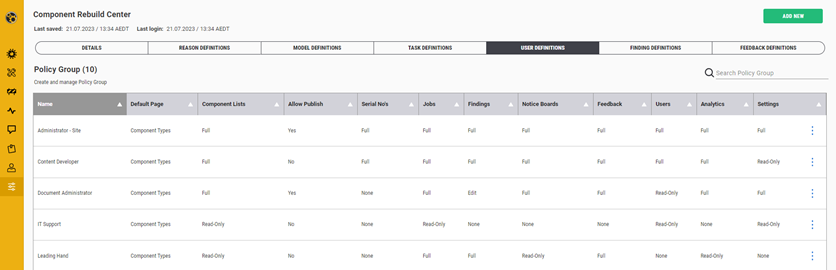
| More control in user access and permissions available.
Limit the number of people that can make a model active to control releases.
To speed up the workflow, set default roles to set screen opening when logging in. |
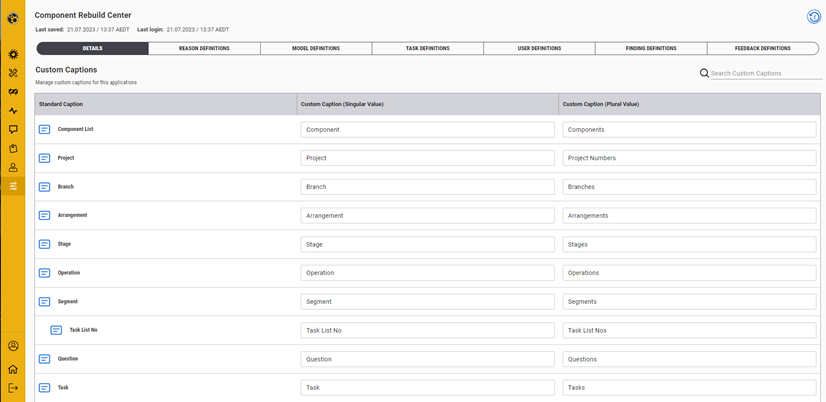
| Improvements with setting custom captions. |
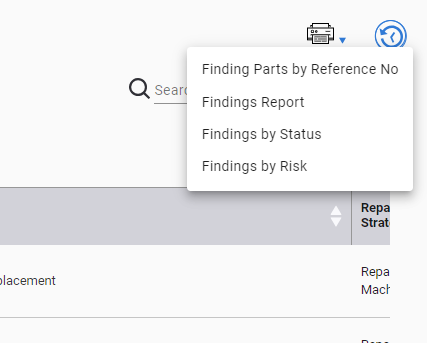
| Print reports to PDF
Where this icon is presented there maybe a list of different reports that can be downloaded as PDF’s.
Found in
|
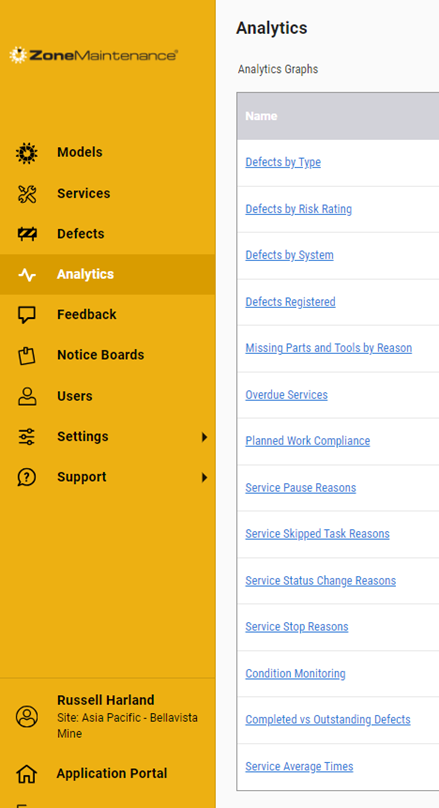
| Analytics provides the graphical reports of the different collected results from the execution of the services.
Click on the different links to present the new graphs. Some can be drilled into gain further detail.
The Defects/Finding analytics has a button to link to the defects/findings screen to generate tabular reports. |
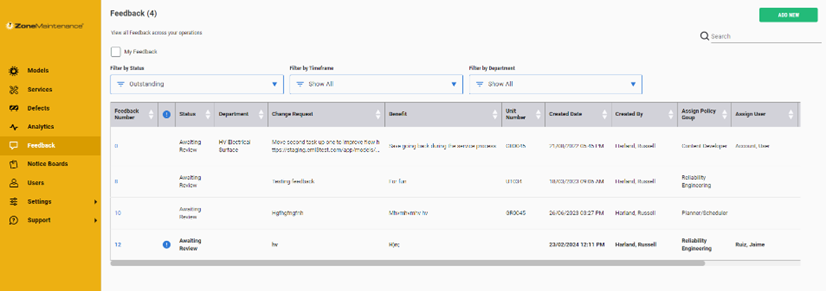
| Feedback hasn’t changed too much in functionality but an email will be sent to the user that has been assigned to address the feedback.
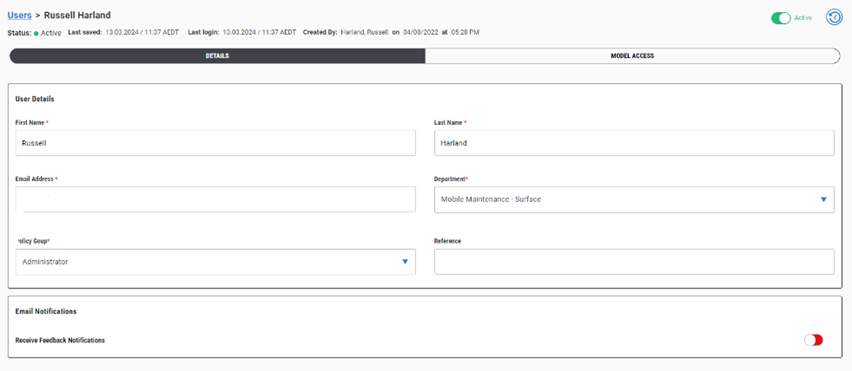
If the user is not receiving these messages, check the user profile to see if the notification option is switched off. |
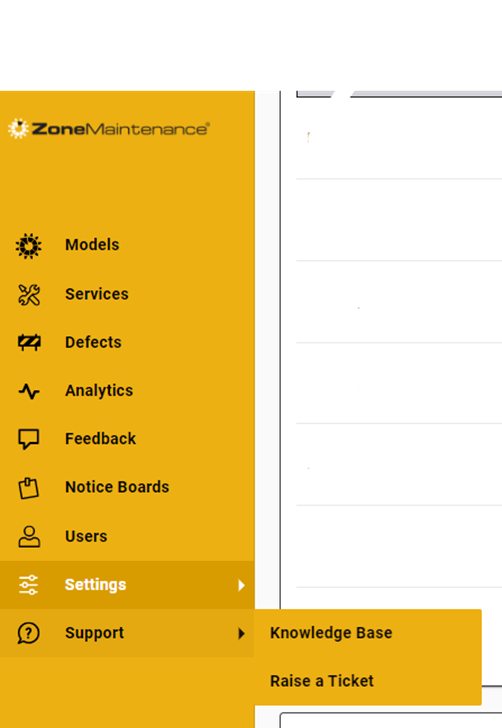
| Access to support and knowledge base is available from the log in page and the support option in the menu list. |
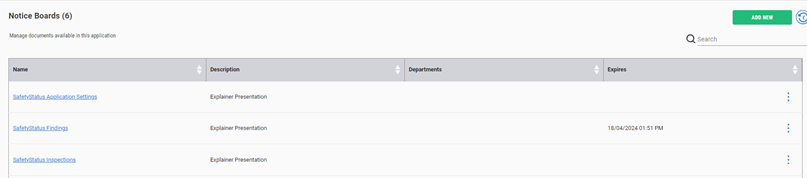
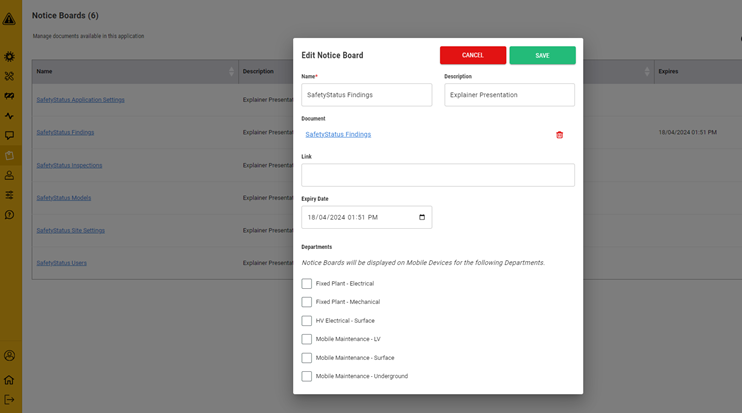
| Set an expiry date on the notice board.
Also assign the file to one or more departments. If not selected, all will view. |






Was this article helpful?
That’s Great!
Thank you for your feedback
Sorry! We couldn't be helpful
Thank you for your feedback
Feedback sent
We appreciate your effort and will try to fix the article