Build Version: 2026-05-21-05:15:10 UTC
21st May 2026
Current Situation:
Models are not easily translated when sharing from one site to another.
Overview
This new feature is limited to clients with the ability to share a model from one site to another.
This eliminates manual translation of model content using AI capabilities. Within this capability, models can be translated to specific country languages using targeted locale.
This is all performed through the model import feature before it is uploaded to the site application.
Screen | Changes
|
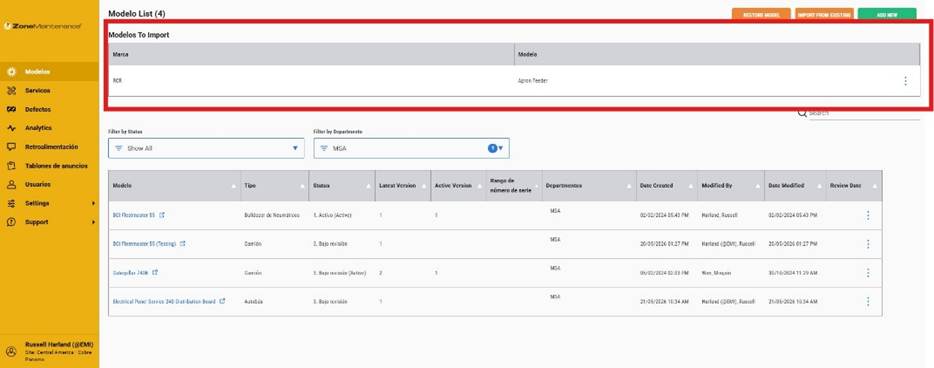
| Where a model has been shared from another site, you can now translate this content to any language you wish |
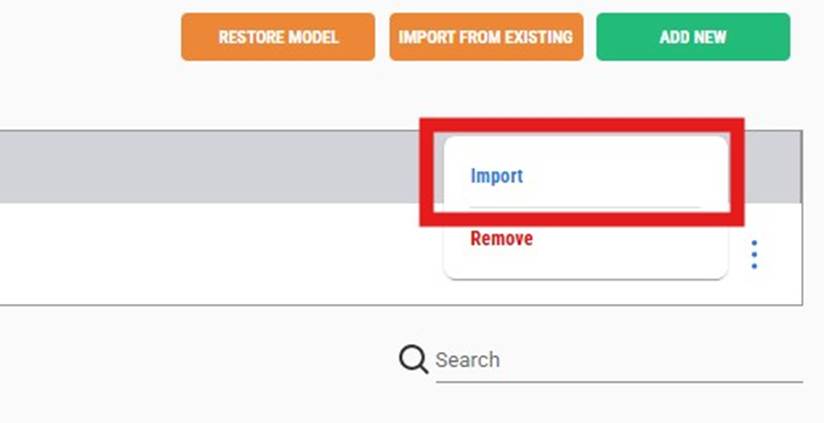
| Import the model |
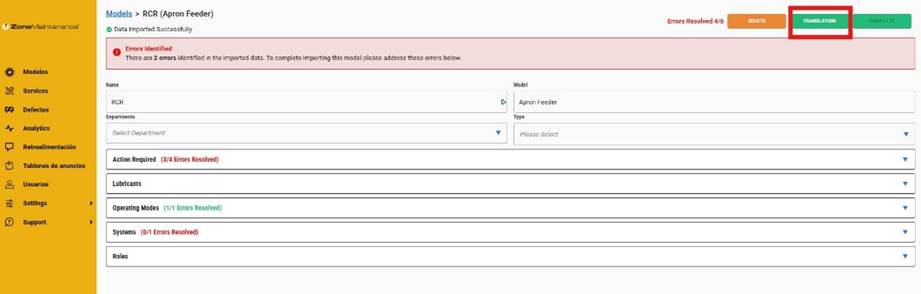
| Click on the Translate button |
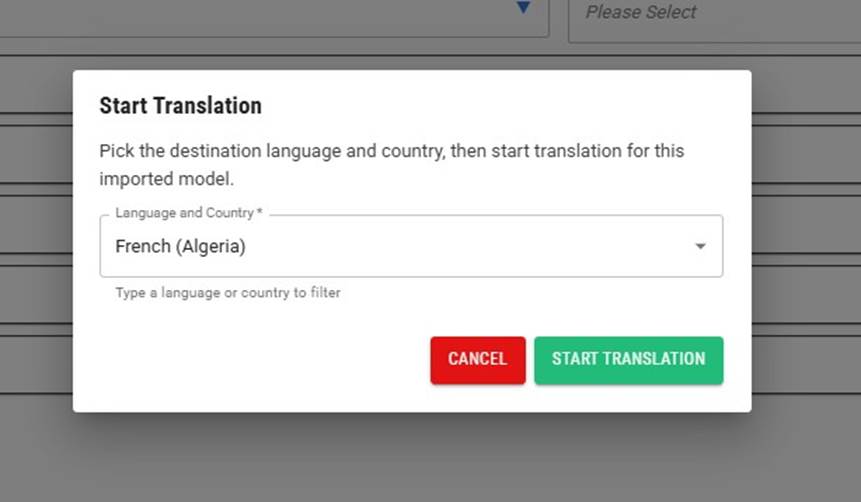
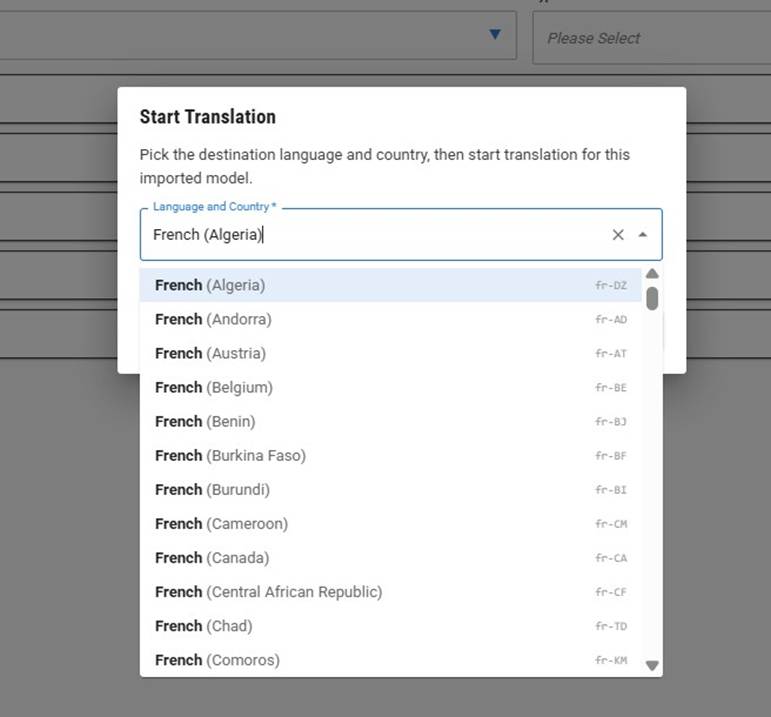
| Select the language and locale |
| An extensive range of languages available to pick from |
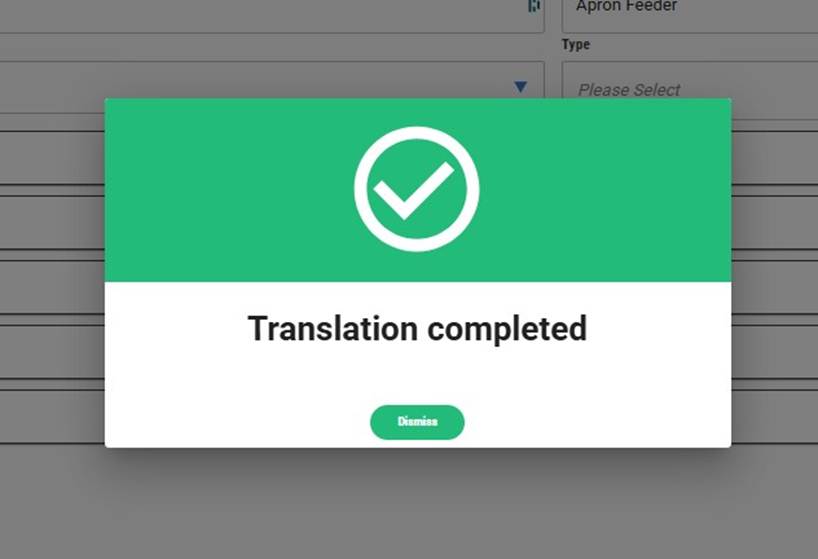
| Once selected and changes have been saved, this popup will confirm the translation process has been completed. |
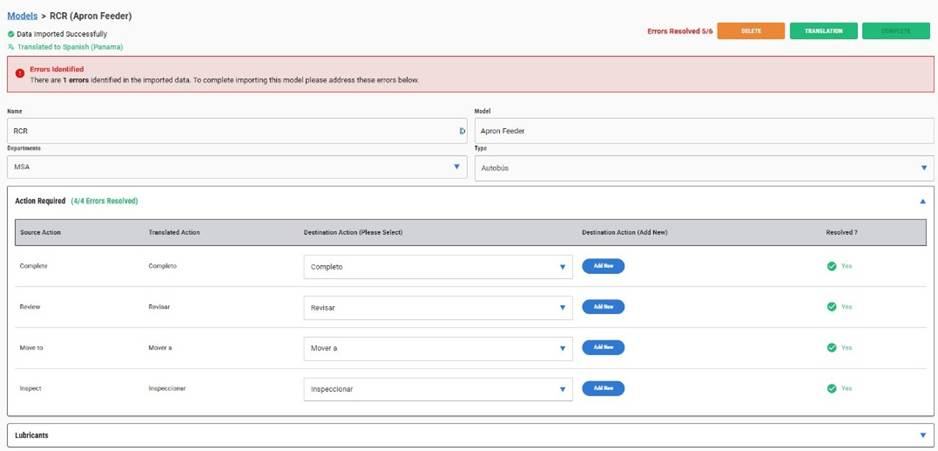
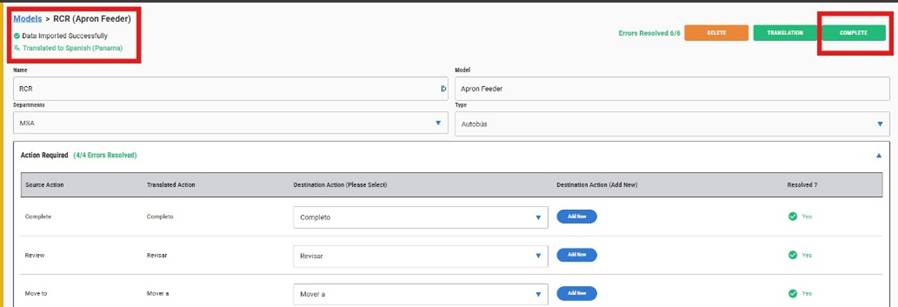
| Here you will see a column showing the translation.
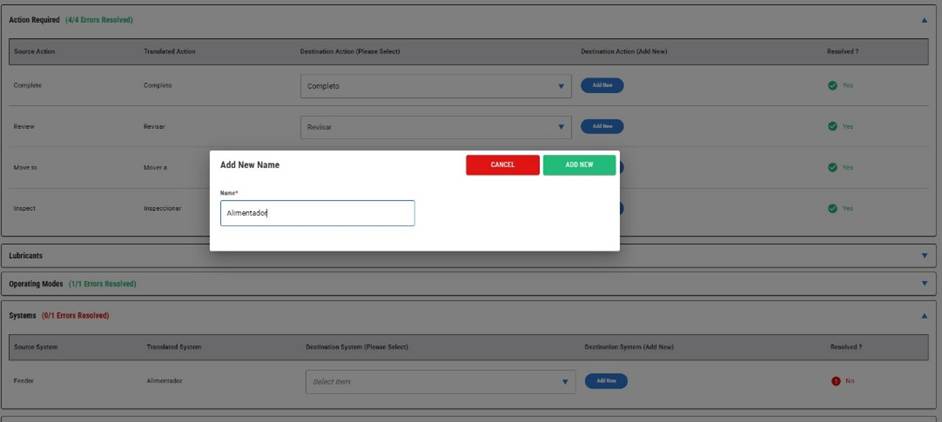
You can change this by clicking on the add button |
| Make the change or just apply what has been presented |
| Once you have applied the model import review process, check to ensure you have the correct language and locale. Click on complete to finalise the process |
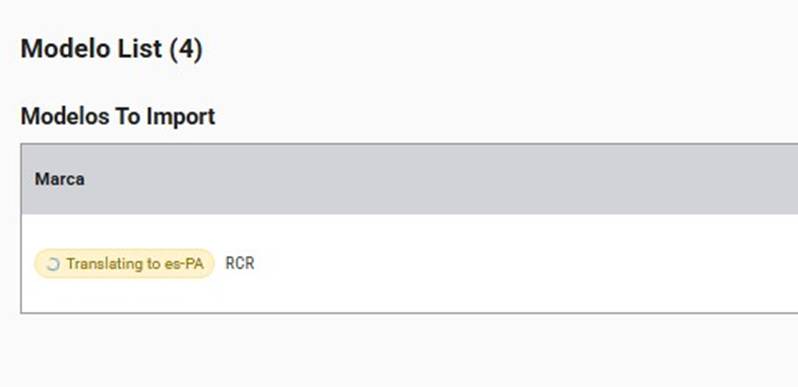
| The model will go through its import process. Depending on the size of the model, this may take some time complete |
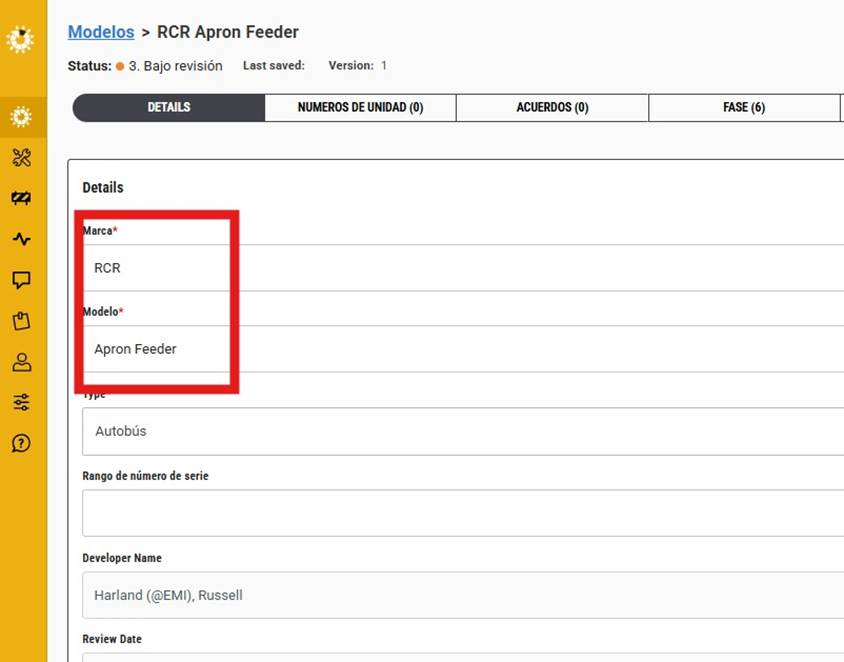
| You may need to rename the model into the site name that suits |
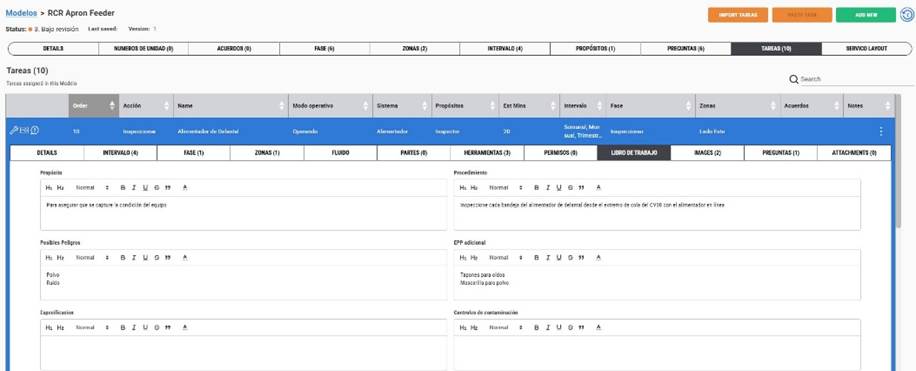
| Check the content to ensure it has translated successfully. |
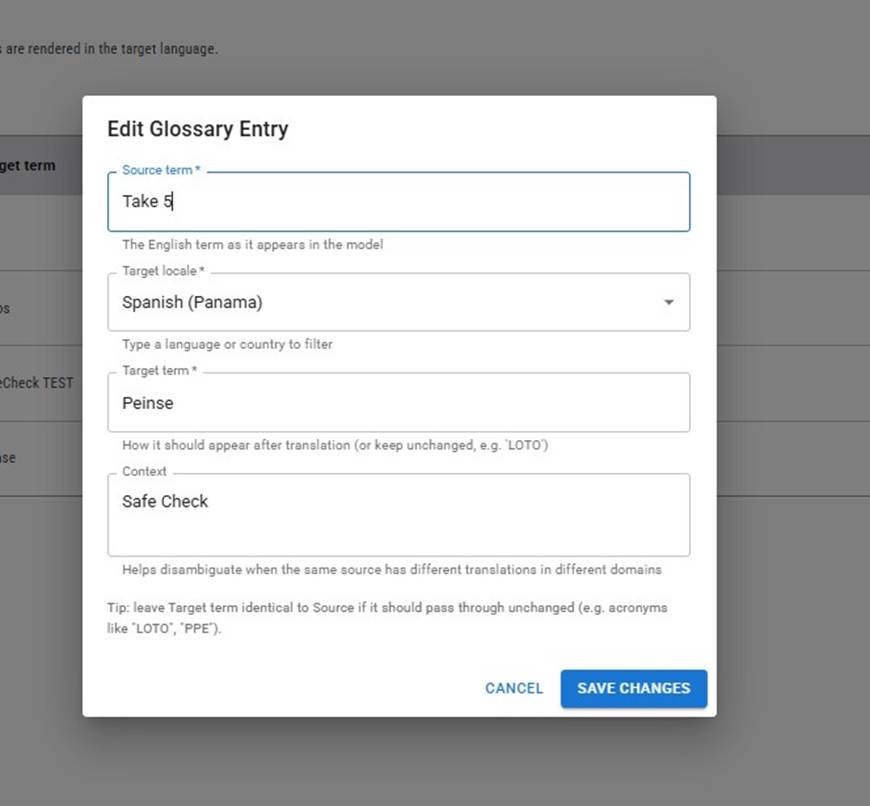
| We also have included a glossary that can be added to to change imported words for future models to align with site or region terminology.
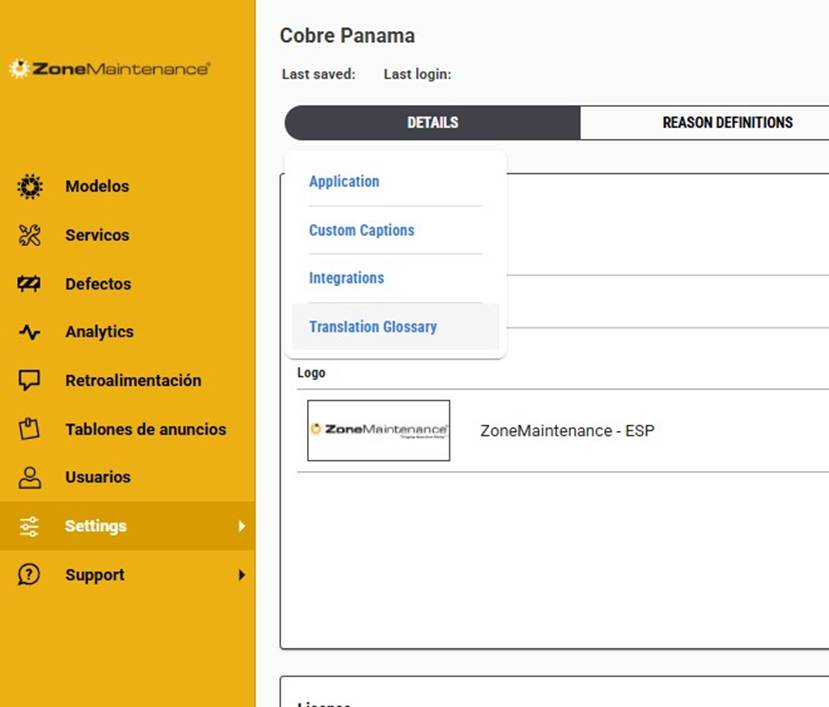
Go to Site Application Settings and hover over the details tab to show the available list. Click on the Translation Glossary to open. |
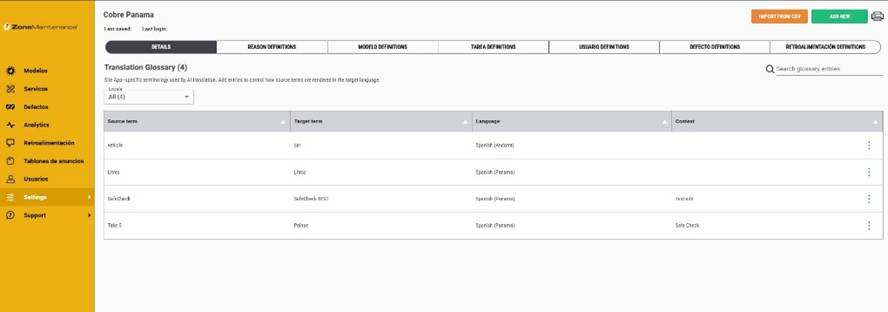
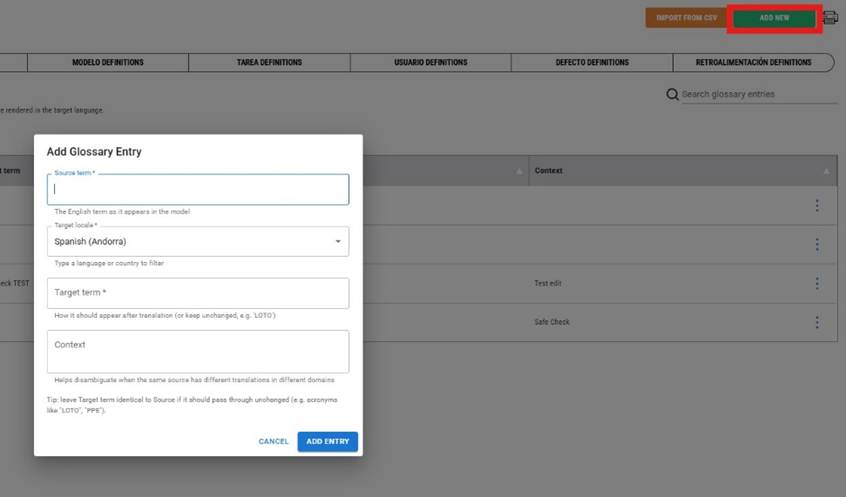
| Here you can add or import a list of changes that you’d like to include with future imported models. |
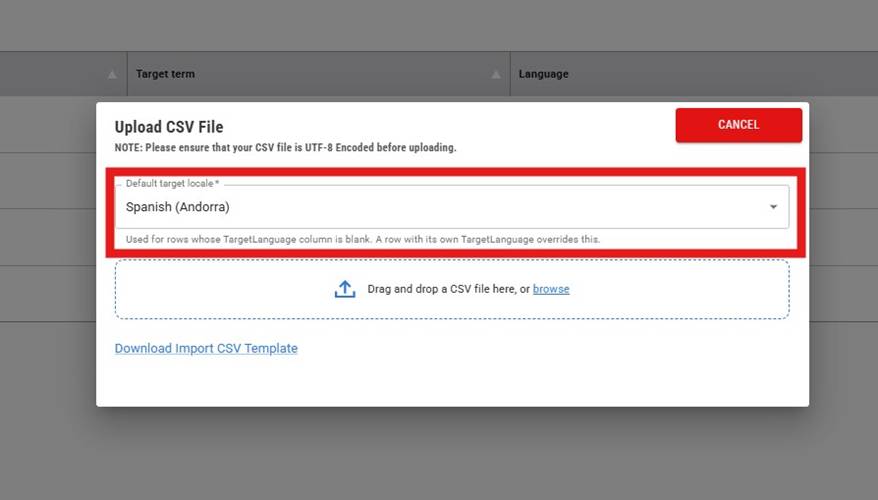
| Define the language and region |
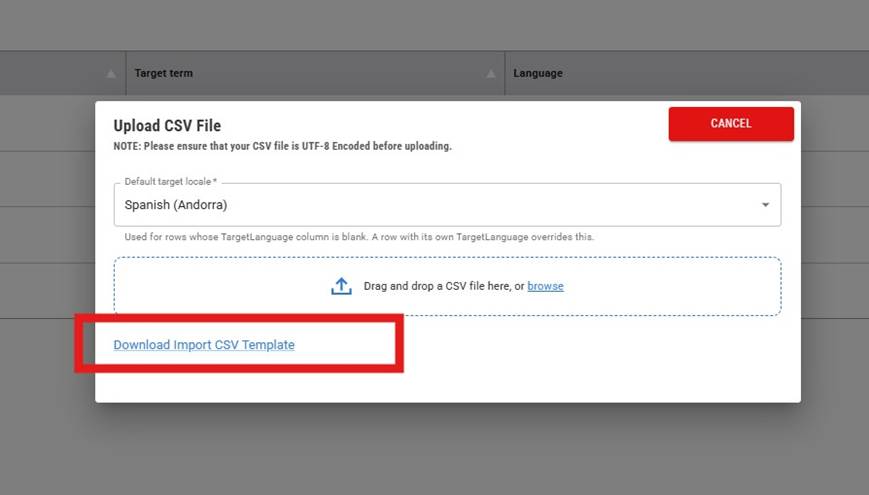
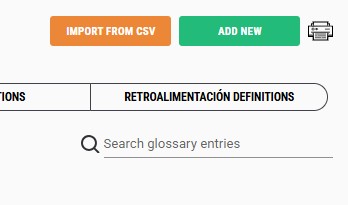
| Use the import template for bulk uploads |
| Or add new and fill in the required fields. |
|
|
| Use the report icon to download the list of changes applied. |
Was this article helpful?
That’s Great!
Thank you for your feedback
Sorry! We couldn't be helpful
Thank you for your feedback
Feedback sent
We appreciate your effort and will try to fix the article