Build Version: 2026-09-09-06:27:55 UTC
Purpose:
To provide an improved time enhancement to the technical writer to duplicate or copy content more effectively over multiple tasks with ease.
Feature:
A new box column is added against each task. By selecting one or more tasks a menu will appear at the bottom of the page.
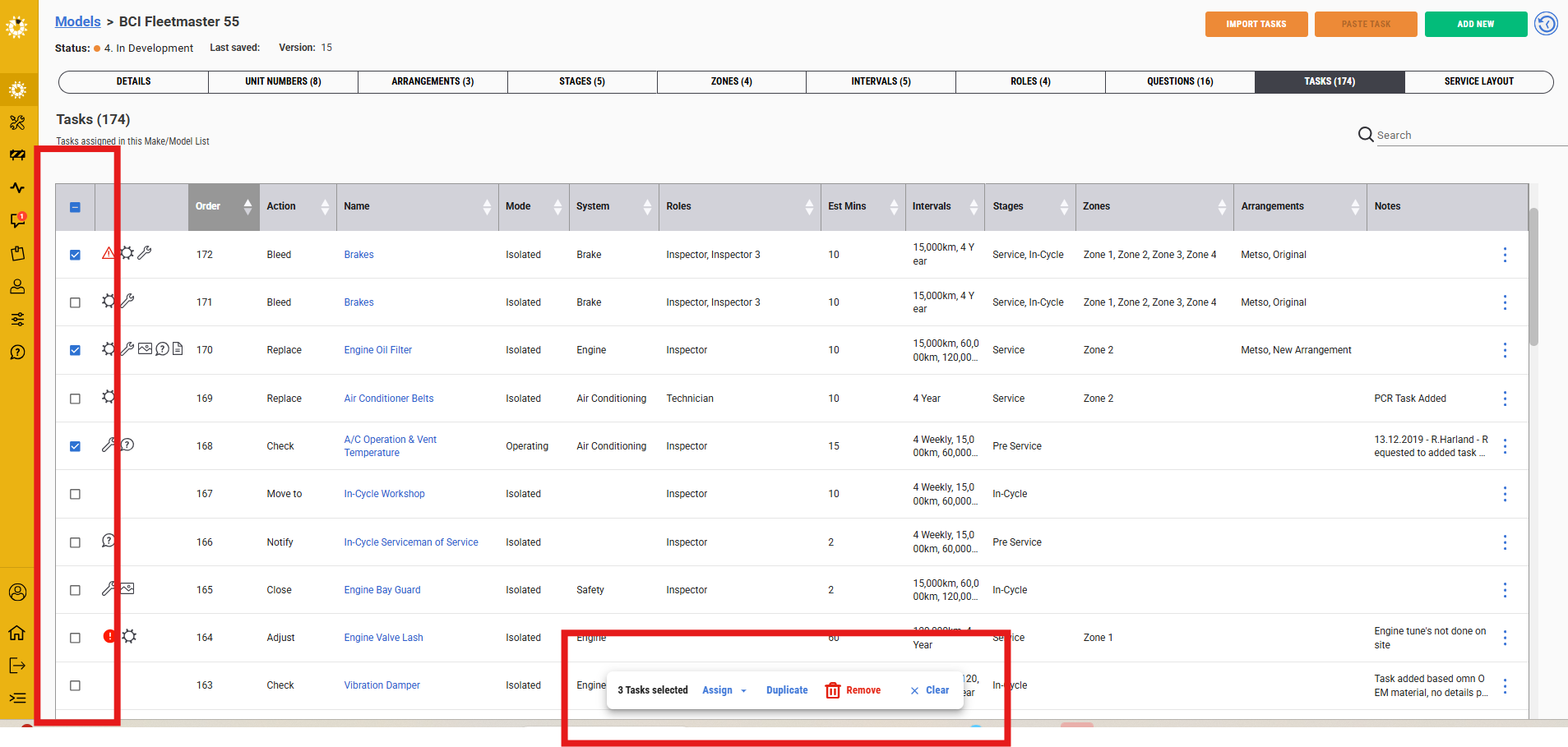
When selecting from the options presented, it will enable you to assign or duplicate elements to these tasks at the same time.
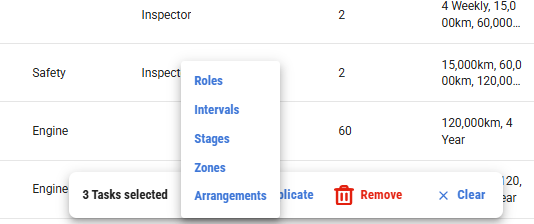
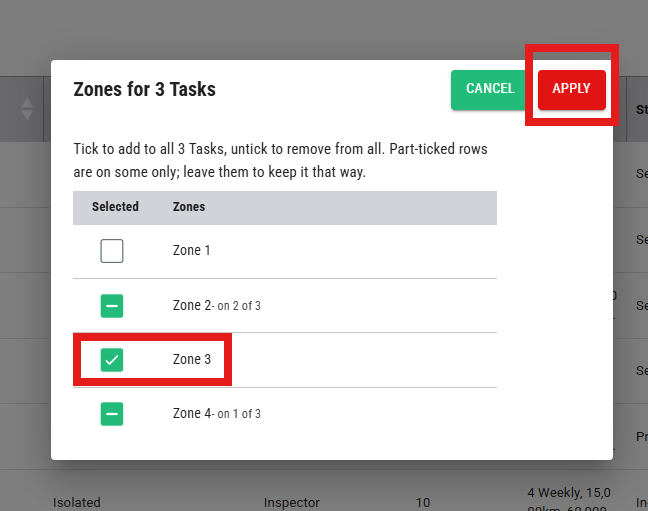
By selecting the option, it will present the grouping in which you can select the option and apply the change to all the selected tasks at the same time.
If you selected more than one task you can duplicate or remove these with one click, rather than doing this one at a time.
Again saving time and effort.
The clear button will remove the box ticks in one click.
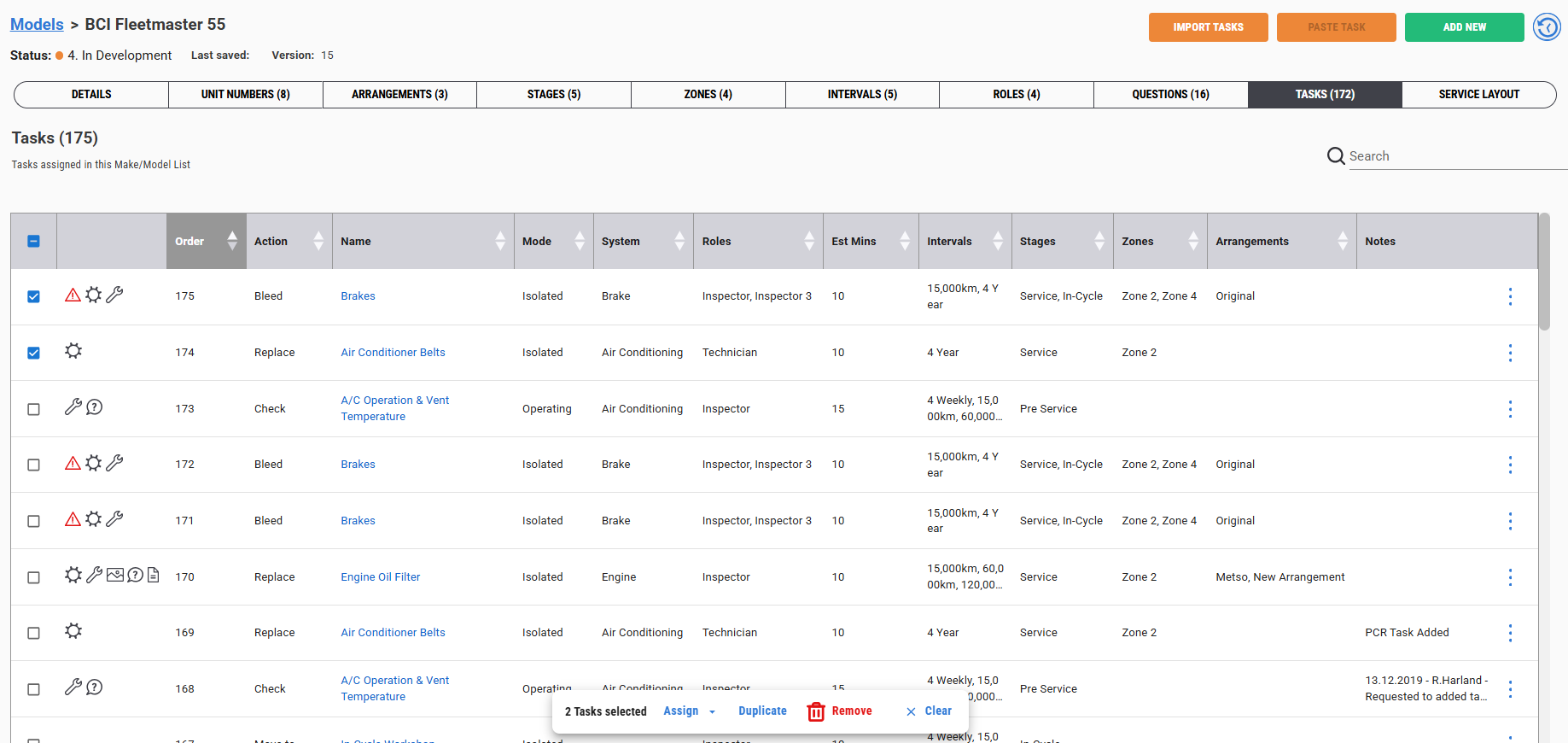
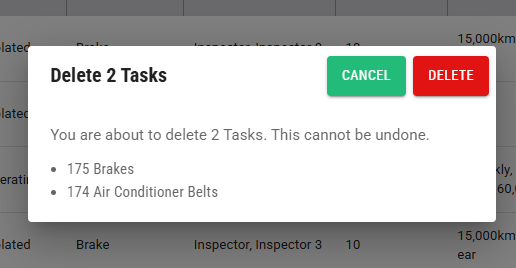
The remove option will prompt you to confirm this is being applied to the listed tasks and it cannot be undone.
Was this article helpful?
That’s Great!
Thank you for your feedback
Sorry! We couldn't be helpful
Thank you for your feedback
Feedback sent
We appreciate your effort and will try to fix the article