Build Version: 2026-09-09-06:27:55 UTC
Purpose:
To enable site to modify how the workbook fields will be presented in the mobile application.
Feature:
Move the order in which the workbook fields will be presented in the model workbook and on the mobile application screen.
NOTE: With this change it applies to all models within the site application.
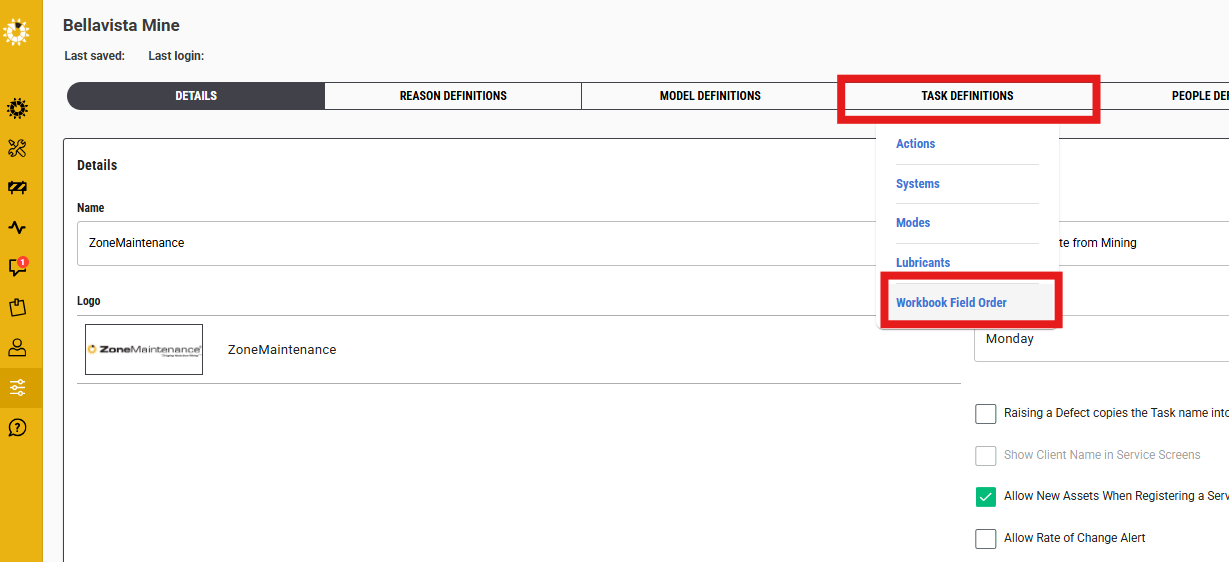
Within Site Application Settings, Task Definitions, there is a new item called "Woorkbook Field Order"
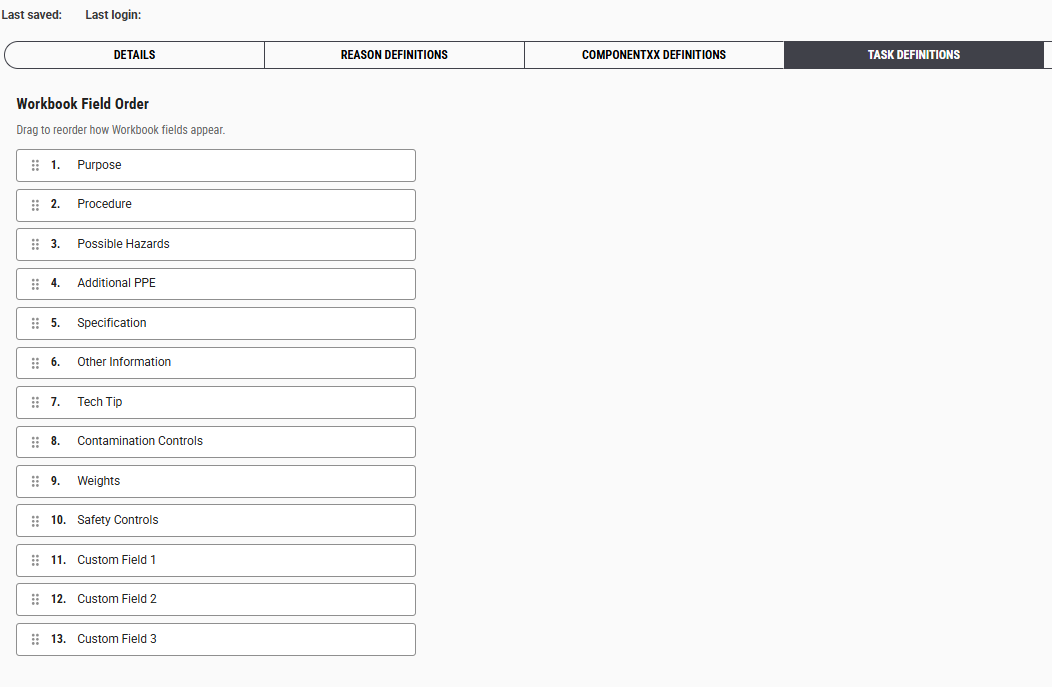
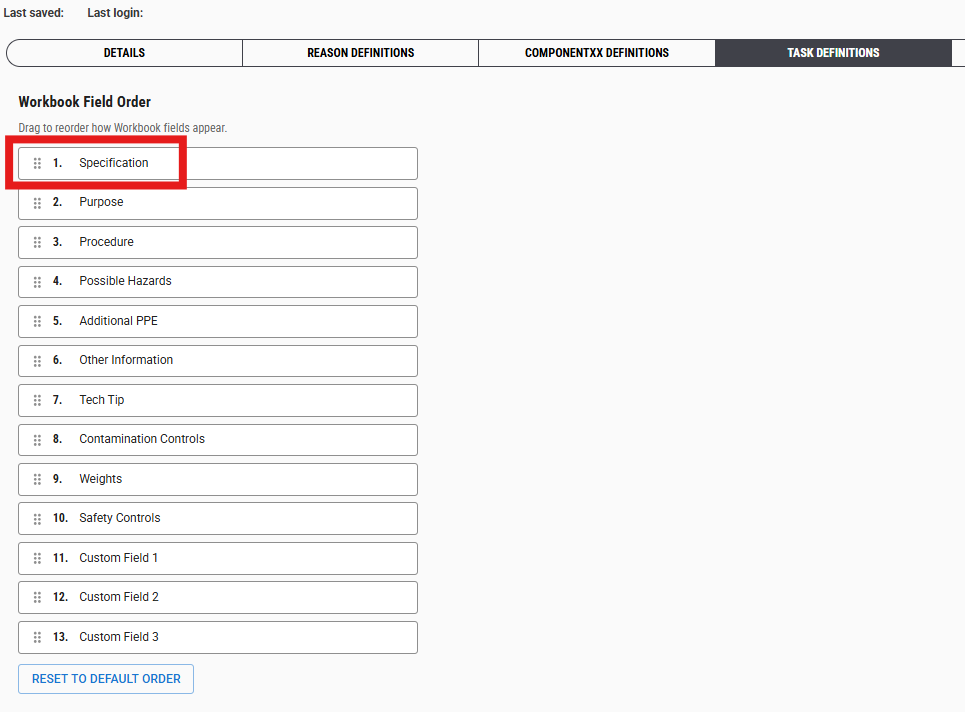
Changing the order is simply dragging and dropping the row to the required the order.
Note: The order of this list (number 1) starts with the top left field in the workbook and across to the right field for number 2.
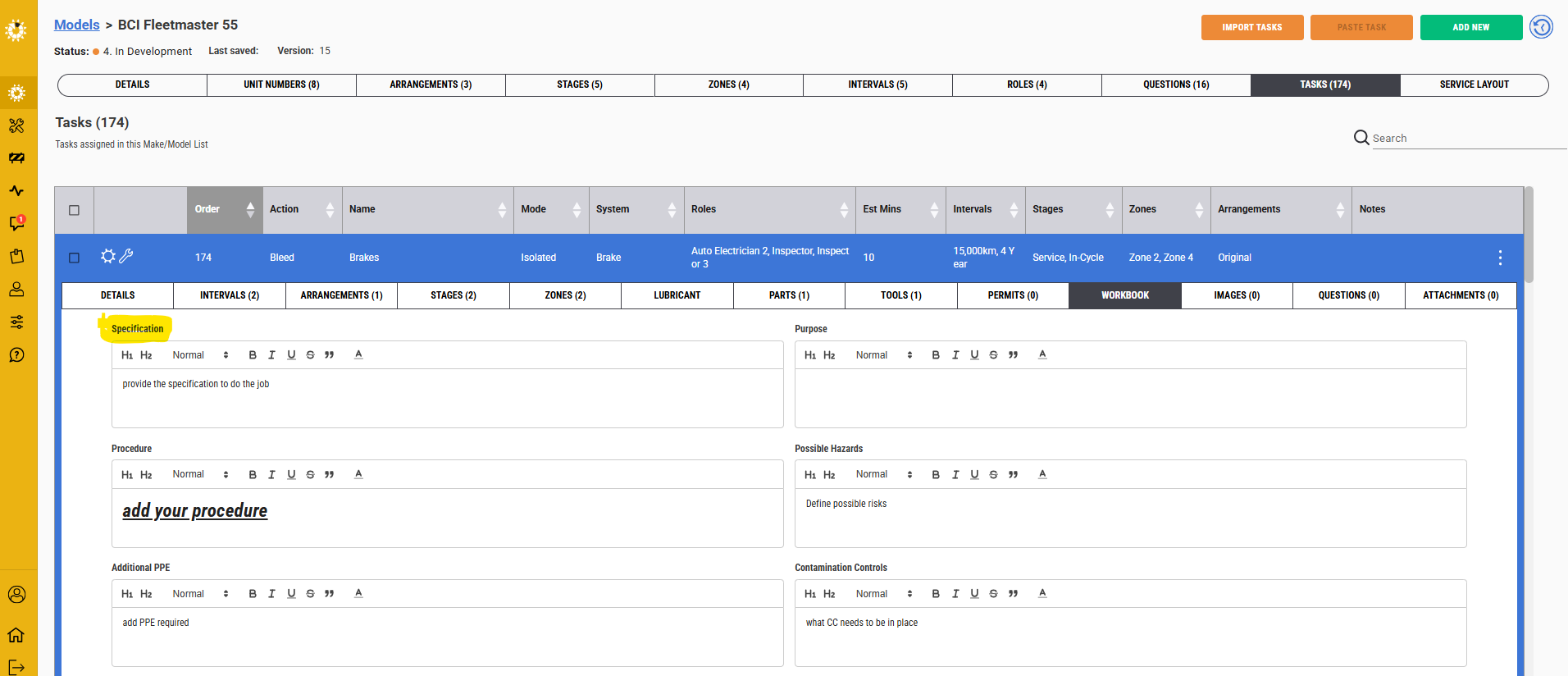
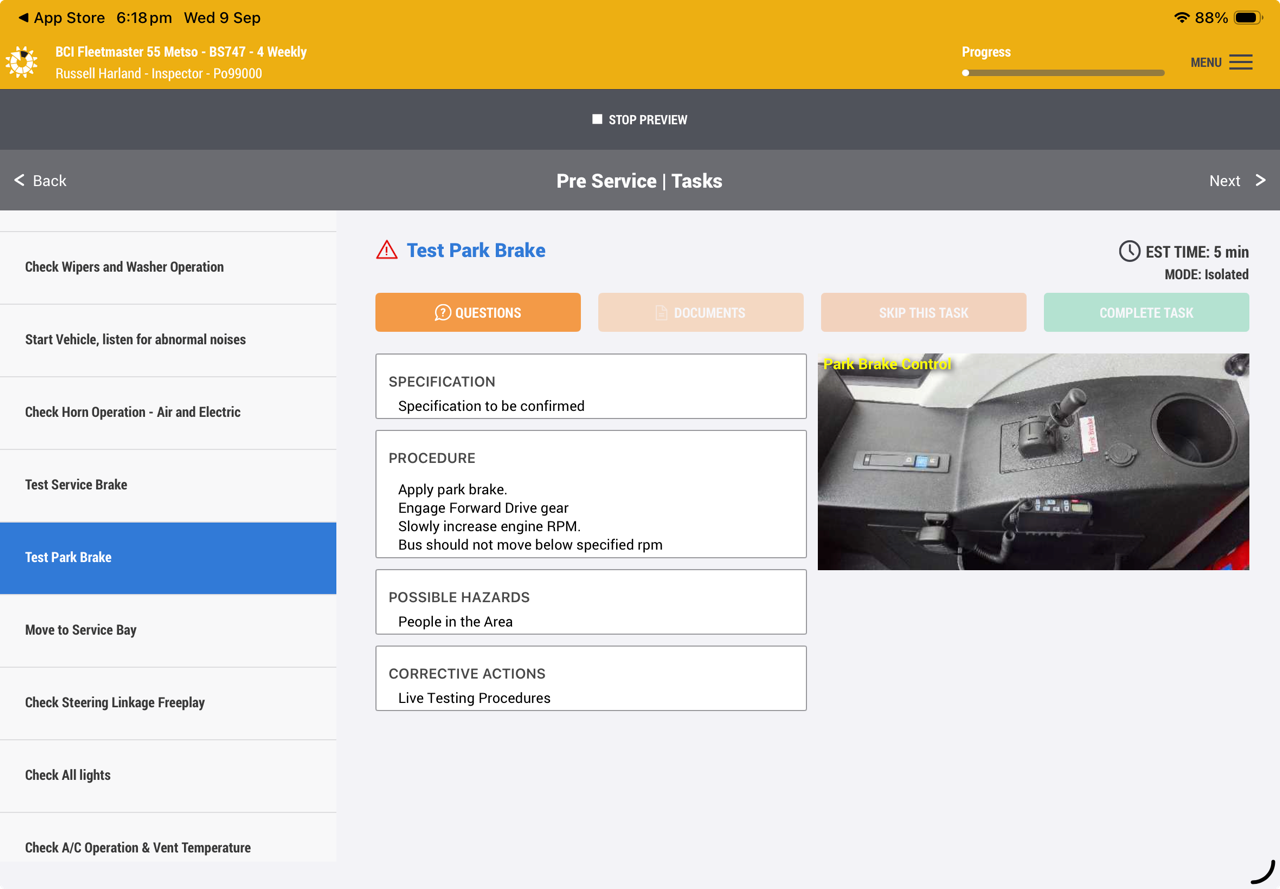
Mobile app screen
Was this article helpful?
That’s Great!
Thank you for your feedback
Sorry! We couldn't be helpful
Thank you for your feedback
Feedback sent
We appreciate your effort and will try to fix the article